
Description
SiteAssure monitors WordPress functions that support enquiries and sales. Local checks work without an account; optional cloud monitoring adds independent checks, uptime, centralized alerts and reporting.
Free local monitoring
- Daily and on-demand assurance scans, a dashboard, diagnostics and Site Health checks.
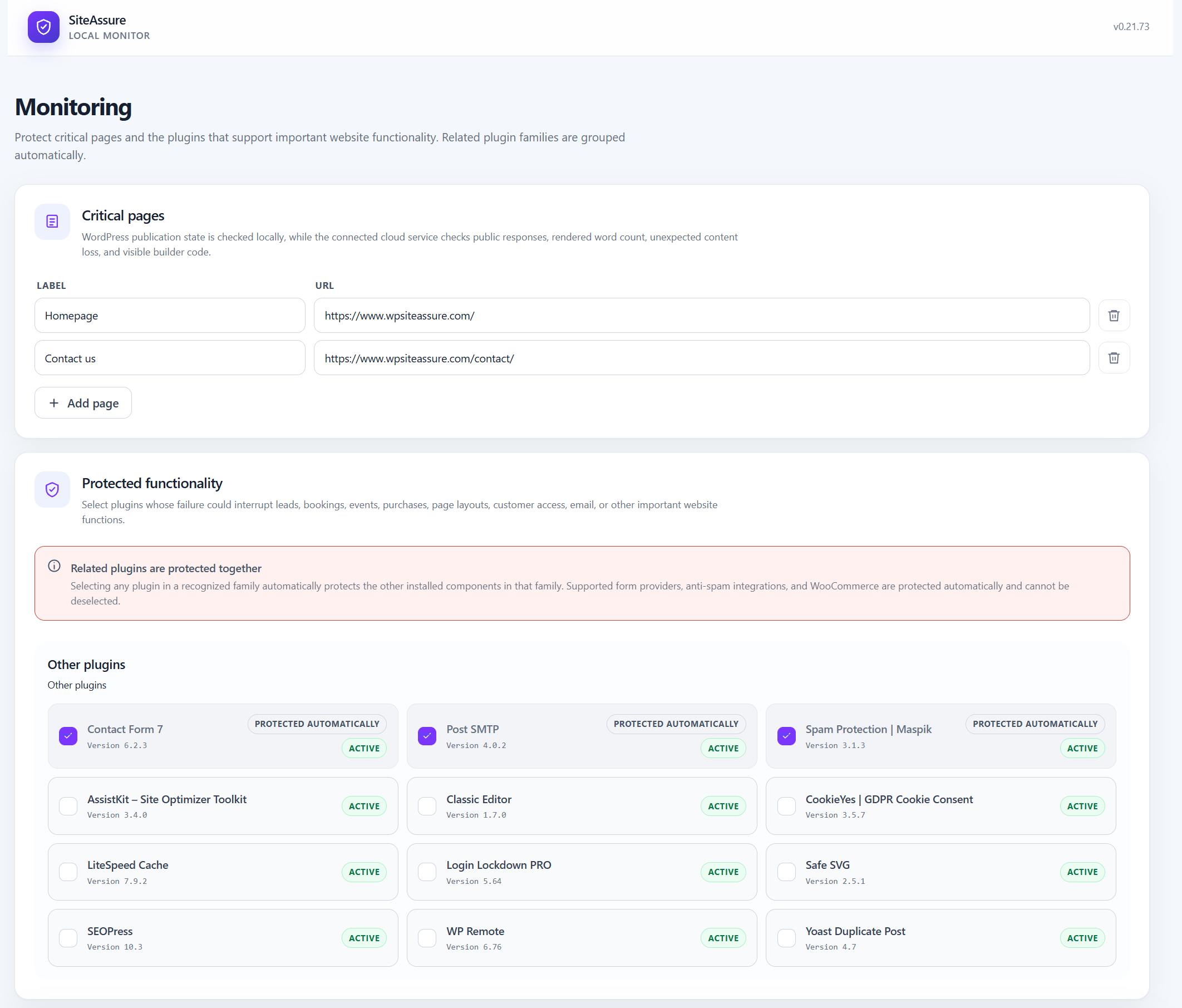
- Protected plugins and business functionality, including payment, mail, booking, membership and page-builder dependencies.
- Critical-page publication, availability, content baselines and supported builder-markup checks.
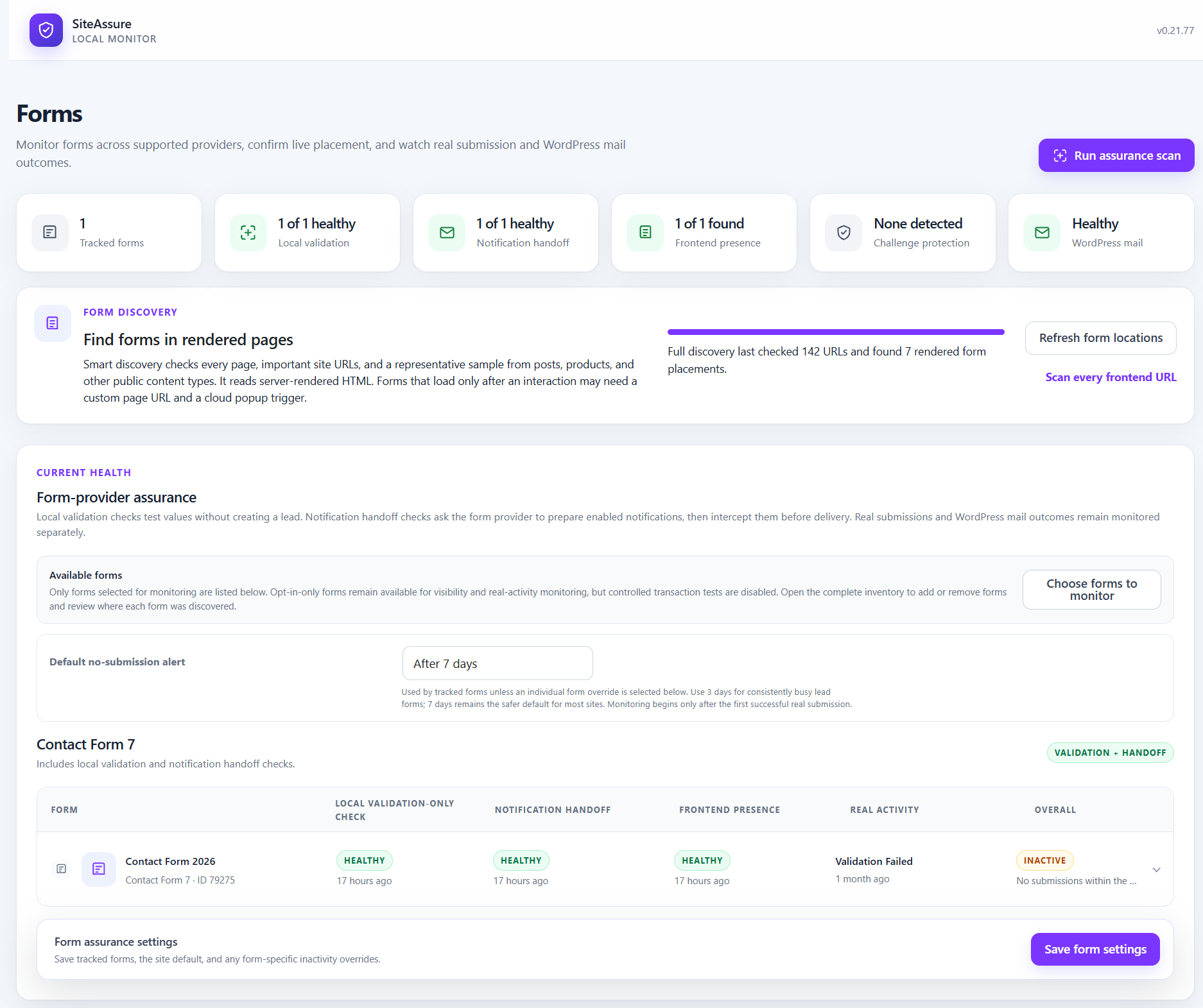
- Form inventory, configuration, frontend presence and real submission outcomes, without retaining submitted field values.
- Contact Form 7, WPForms, Gravity Forms, Formidable Forms, Elementor Pro Forms and Divi Contact Forms integrations. Local validation and mail-handoff coverage vary by provider.
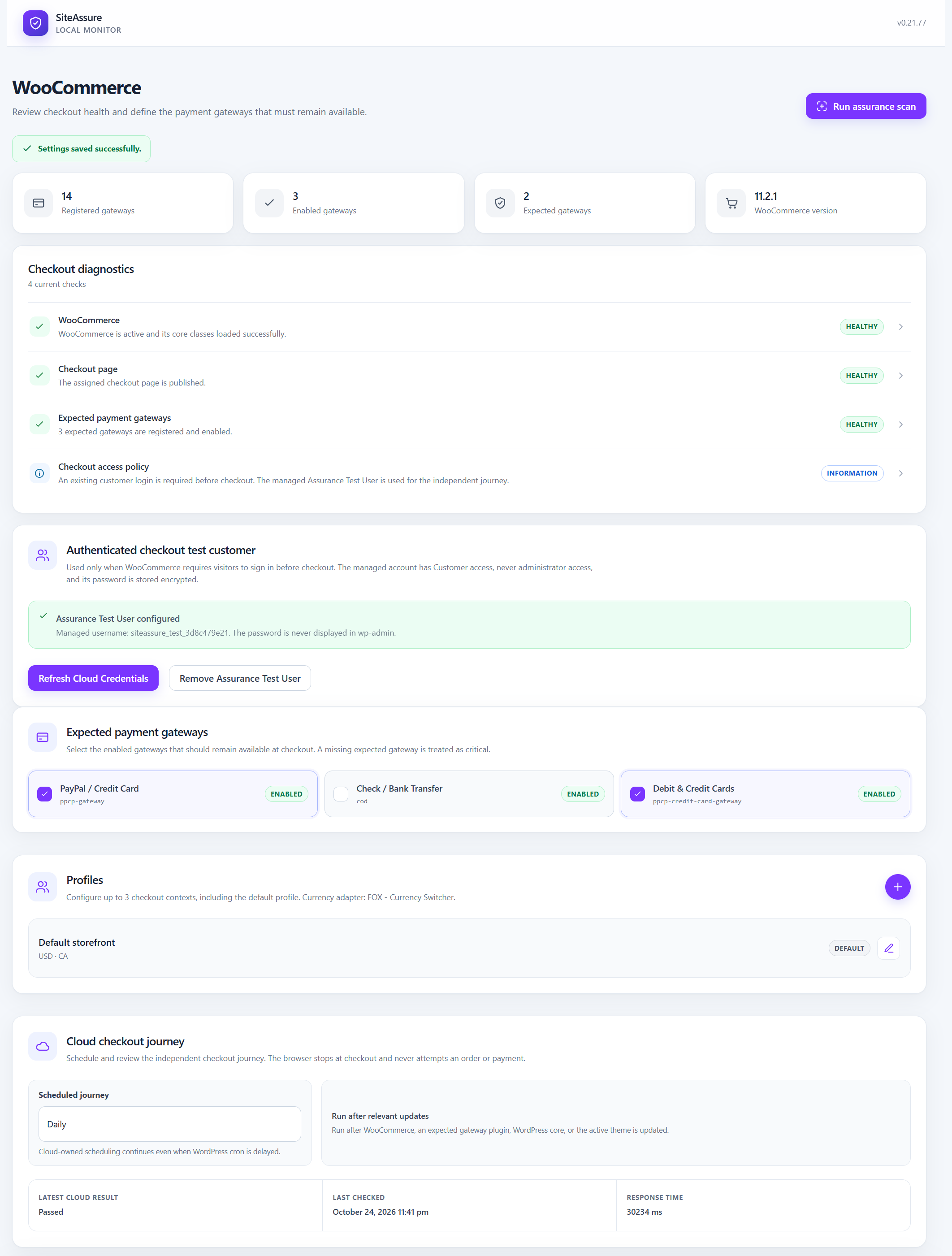
- WooCommerce gateway registration, availability and expected-gateway monitoring.
- Plugin, theme, core, selected settings and user-access change history, with incident timelines and recoveries.
- Post-update checks and confirmation of update-associated fatal errors or unexpected plugin inactivity.
- WordPress mail success/failure counters, optional handoff tests and an optional weekly mail heartbeat.
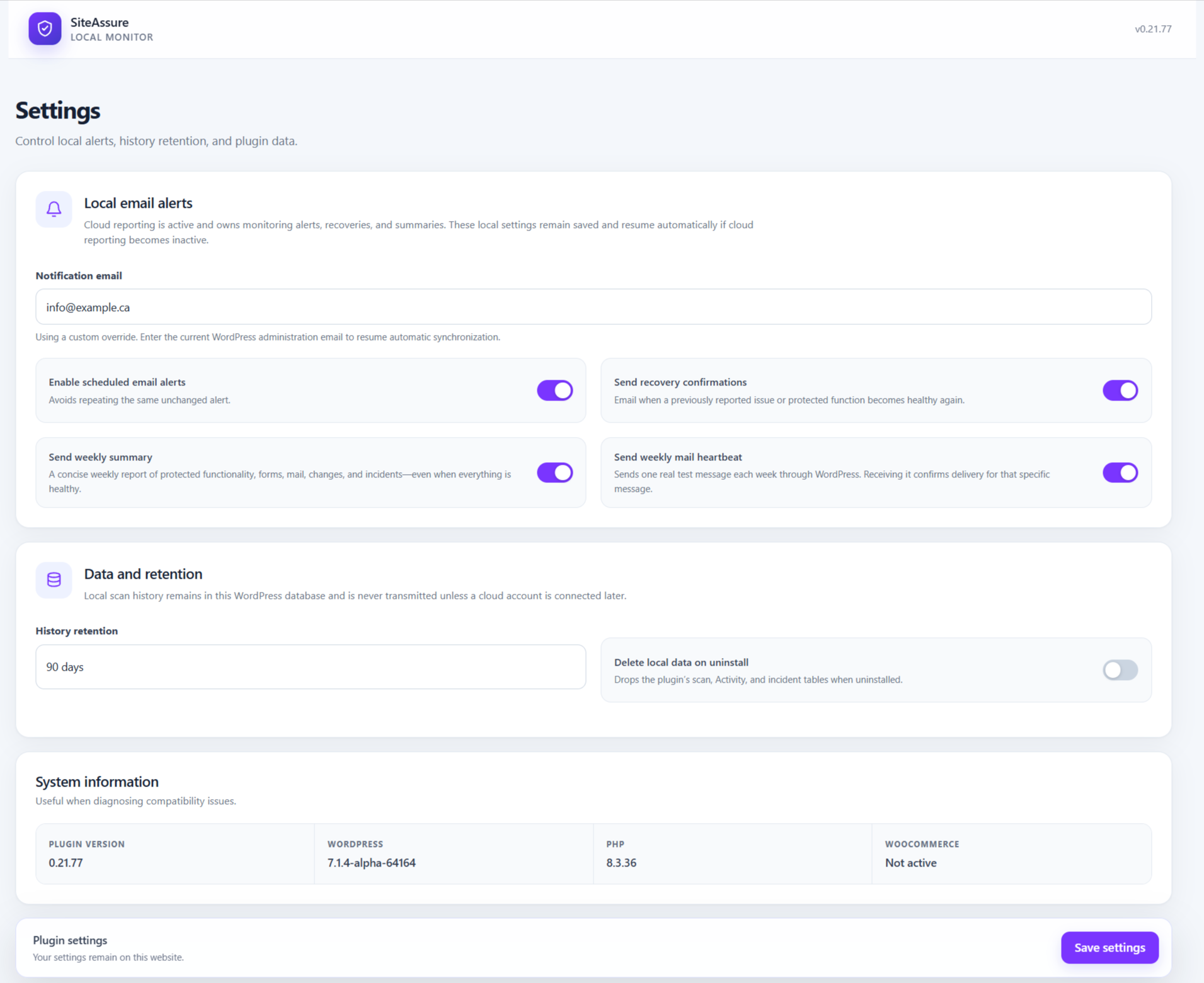
- Optional email alerts, recovery messages, weekly summaries, configurable history retention and a local report export.
Selected forms remain monitored when a page placement disappears or the form is unpublished or deleted. These changes are reported separately from email-configuration warnings so the administrator can review them or explicitly stop monitoring.
Checks do not guarantee availability, delivery or payment processing. A local mail handoff does not prove receipt.
Optional SiteAssure Cloud
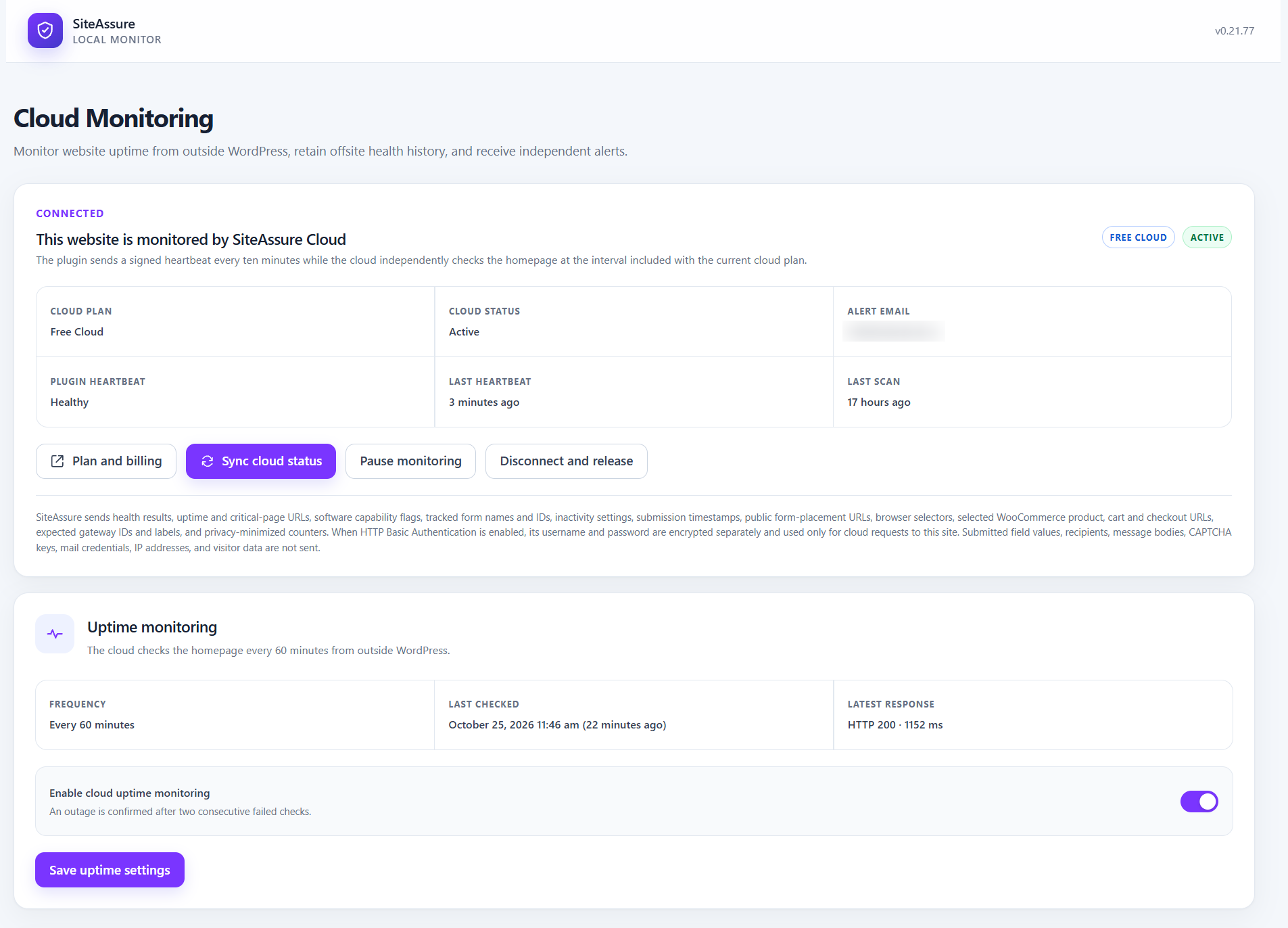
Free, Pro and Agency cloud plans have different monitoring, schedule, history and transaction allowances. Paid features perform work in the external service; the local plugin does not expire.
Browser visibility checks do not submit forms. Eligible controlled form transactions require an administrator to start a test or enable its schedule. They submit generated test values through the supported provider, reroute test notifications to a unique SiteAssure receiving address, and suppress supported CRM, opt-in, webhook, registration and other downstream actions for that signed request. Temporary provider entries are removed where controlled storage is supported. Results identify actions that were suppressed rather than tested. Unsupported actions can make a form ineligible. Production CAPTCHA challenges are not solved as a human.
Formidable user-registration tests suppress registration and its dependent notifications and instead send a separate WordPress mail-transport probe. Elementor Atomic Forms require a supported version and Email action. Divi Email Opt-in/Signup modules are excluded. Pure opt-in forms without an independently verifiable email action remain visibility-only. Custom integrations can behave differently; complete a successful manual test before scheduling recurring tests.
The cloud WooCommerce journey checks products, cart, checkout and gateway controls without placing orders or attempting payments. Gateways that show payment controls only after Place Order cannot be fully verified. Up to three checkout profiles can cover different products, locations, currencies or gateway combinations. An optional least-privilege Assurance Test User requires administrator approval. HTTP Basic Authentication credentials can be supplied for protected staging sites.
External services and connection consent
The optional SiteAssure service is operated by WPAssist. Installing or activating the plugin does not contact it. An administrator must choose to connect; clicking the email-verification control sends the pairing request, and ongoing reporting starts after verification.
- Website: https://www.wpsiteassure.com/
- API: https://api.wpsiteassure.com/v1
- App: https://app.wpsiteassure.com/
- Terms: https://www.wpsiteassure.com/terms/
- Privacy: https://www.wpsiteassure.com/privacy/
Connection sends the website URL, supplied verification email and software/version information. Once connected, signed HTTPS requests send heartbeats (normally every ten minutes), scan results, minimized diagnostic messages and evidence, capabilities, selected monitor definitions, notification preferences, reporting periods and aggregate weekly counters. The plugin polls for authorized commands and retries temporarily failed reports.
Form definitions contain provider IDs, names, public placement and last-known URLs, lifecycle and transaction-eligibility status, selectors, inactivity settings and successful real-submission timestamps. Critical-page definitions contain configured URLs, content word-count baselines and intentional-edit revision tokens, not page text. WooCommerce monitoring additionally sends eligible product/variation IDs, public URLs, variation attributes, cart/checkout URLs and expected gateway IDs and labels.
Authorized form tests exchange generated values, bounded provider/action identifiers, suppression and cleanup outcomes, and test email with the service. If expressly approved, staging access or generated test-user credentials are sent over HTTPS and stored encrypted locally and by the service. Real customer credentials are not collected. Pausing stops normal reporting; disconnecting removes local pairing credentials. Local monitoring continues.
Privacy and local data
Local settings, scan results, activity and incident history stay in the WordPress database. Local activity can identify the administrator responsible for a change. Cloud scan evidence omits actor attribution and structured sensitive fields; recognizable email addresses, credentials, bearer tokens and query credentials are redacted. Custom diagnostic text may still describe site configuration and is covered by the service privacy policy.
Cloud monitoring does not collect visitor-submitted field values, real customer credentials, configured WordPress mail recipients, message bodies, CAPTCHA keys, mail credentials or visitor IP addresses as monitoring fields. Test notifications use generated data. Only bounded action IDs, provider labels, categories and suppression outcomes are reported for downstream integrations; subscriber data, custom action titles, list IDs and provider credentials are excluded.
Connected websites synchronize four email preferences, their revision, weekly-summary timestamps and aggregate counters. Authorized account managers can manage these preferences. WordPress mail recipients remain local; cloud notifications use account recipients. Local alerts use WordPress mail. The cloud sends connected weekly summaries, with a local fallback if reporting is unavailable.
History retention is configurable. Uninstalling preserves local data unless Delete data on uninstall is enabled. Disconnect the cloud website before removing the plugin if you also want independent cloud monitoring to stop; deleting local data does not delete the service account or its history.
Screenshots



Installation
- Install the ZIP through Plugins > Add New > Upload Plugin, or upload its folder to
/wp-content/plugins/. - Activate SiteAssure and open its administration menu.
- Complete setup and select critical pages, protected functionality and forms. The initial scan runs automatically.
- If WooCommerce is installed, configure expected gateways and optional checkout monitoring.
- Optional: open Cloud Monitoring and verify an email address to connect the website.
FAQ
-
Is a cloud account required?
-
No. Local scans, diagnostics, form configuration checks, gateway monitoring, history and local notifications work without an account. The local score reflects local checks and can reach 100 without connecting to the cloud; independent cloud coverage is reported separately.
-
Does a missing form location mean the form is unused?
-
No. Forms may be rendered by unsupported builders, templates, popups or custom code. Choose a public test URL when automatic discovery cannot find the placement. Previously selected forms keep their identity and last-known URL for review after removal.
Reviews
There are no reviews for this plugin.
Contributors & Developers
“SiteAssure – Website, Form & Checkout Monitoring” is open source software. The following people have contributed to this plugin.
Contributors
Translate “SiteAssure – Website, Form & Checkout Monitoring” into your language.
Interested in development?
Browse the code, check out the SVN repository, or subscribe to the development log by RSS.
Changelog
0.21.80
- Report protected plugins that were removed from WordPress so their monitoring can be intentionally stopped from the connected cloud app.
- Allow the signed stop-monitoring command to remove an inactive or no-longer-installed plugin from protected functionality and reconcile its incident with a fresh scan.
- Preserve a missing protected component in the saved baseline until an administrator explicitly retires it.
- Add a local Stop monitoring action to protected-component incidents, with the same inactive-or-missing safety rule as the cloud action.
0.21.79
- Synchronize privacy-safe controlled cloud submission, notification handoff, and verification-email outcomes into each tracked form’s health display without replacing local provider evidence.
- Exclude Elementor Header & Footer resources and live URLs that redirect elsewhere from onboarding critical-page choices.
- Replace the first-scan dashboard animation automatically when the completed assurance score becomes available.
- Synchronize saved critical-page and form selections with an active cloud connection immediately, while retaining scheduled retries.
- Simplify the form-monitoring controls and cloud test-page fields.
- Reorganize Form Discovery into a clearer header, live status panel, URL and placement metrics, and separate action footer.
- Strengthen Divi controlled-form email routing, use natural field-specific test values and a site-domain visitor address, and report privacy-safe final mail-recipient and sender-domain diagnostics.
0.21.78
- Preserve every selected critical page when the onboarding wizard saves Step 2, including during a setup rerun.
- Reuse completed form discovery on the final onboarding screen instead of discarding its checked-URL count and starting a duplicate scan.
- Show accurate completed or in-progress form-discovery status and disable the refresh action while discovery is running.
0.21.77
- Sanitize synthetic and authorized Contact Form 7 inputs by field type, preserving textarea and checkbox values.
- Isolate Gravity Forms validation from unrelated request data and restore request state and pre-existing filters after processing or exceptions.
- Validate checkout-profile structures, scalar request values, page rows, monitor URLs and proxy headers.
- Escape all admin SVG output through a restricted SVG allowlist.
- Resolve protected admin and AJAX paths through WordPress URL functions.
- Load self-contained report styles through WordPress’s style registration and enqueue functions.
- Remove the cloud-connection cap from local scores in the dashboard, reports and notifications.
- Earlier release notes are retained in changelog.txt.