

Description
eew Subscriptions Lite (the eew stands for East End Web) lets you sell recurring subscriptions directly from WordPress using Stripe – no WooCommerce, no bloat.
Features:
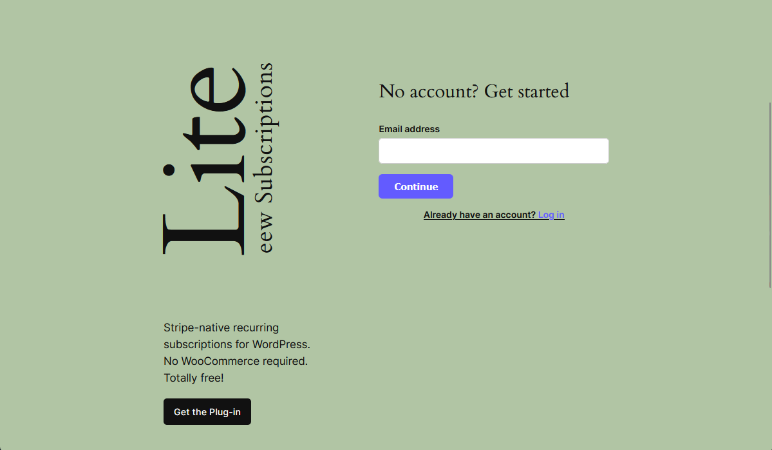
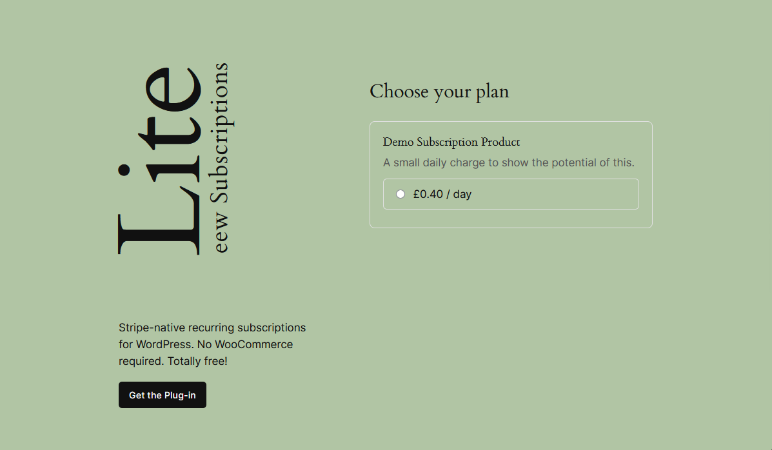
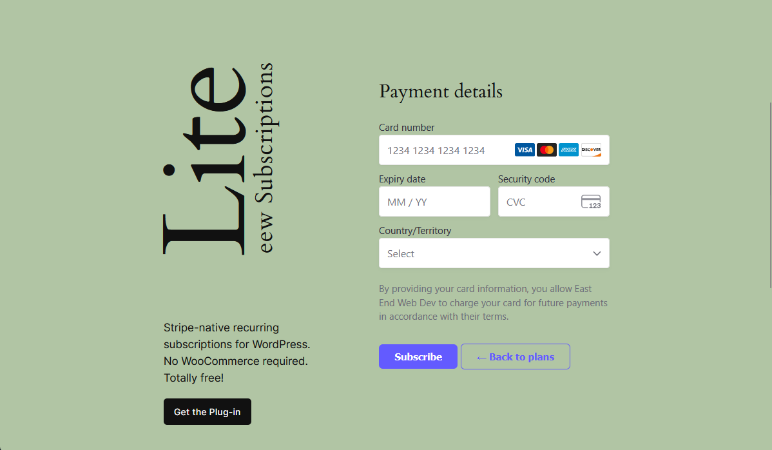
- Subscription form with unlimited products via
[eew_sub_lite_subscription_form] - Customer manage subscriptions dashboard via
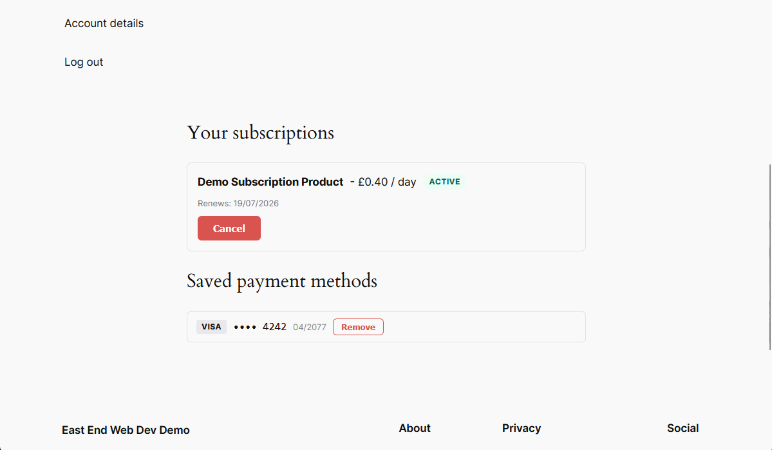
[eew_sub_lite_manage_subscriptions] - Gutenberg blocks: Subscription Form (Lite) and Manage Subscriptions (Lite)
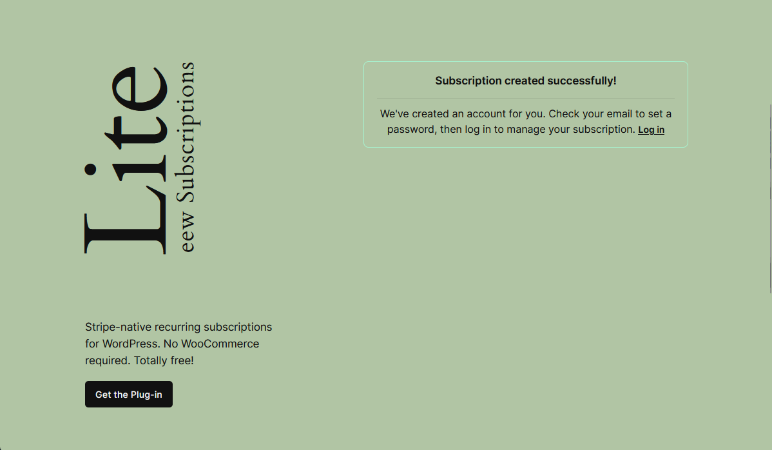
- Guest checkout – WP accounts created automatically on first payment
- Supports returning customers with saved payment methods
- Webhook handling for subscription lifecycle and invoice events
- Compatible with any WordPress theme
Requirements:
- A Stripe account
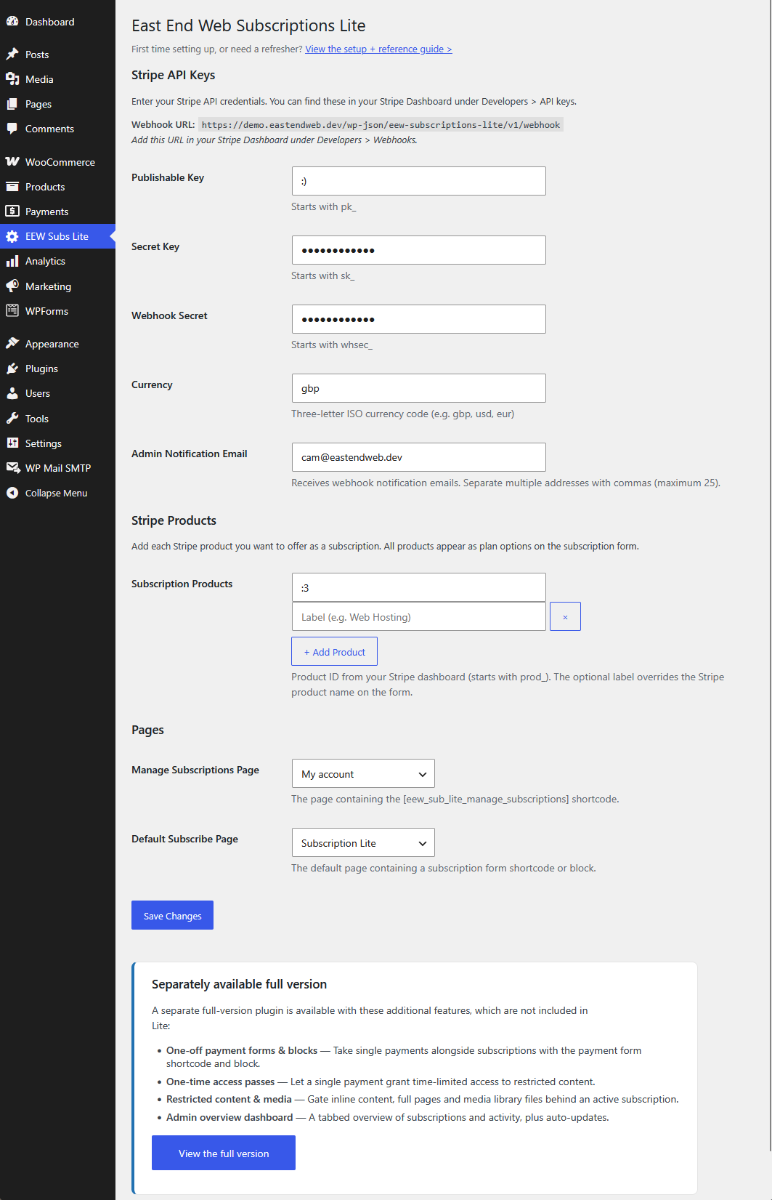
- Stripe secret key, publishable key, and webhook secret (configured in Dashboard nav > EEW Subs Lite)
Upgrade to full version:
The full version of eew Subscriptions adds:
- One-off payment forms (Set price / pay what you want)
- One-time access passes (a single payment grants time-limited access)
- Full-page/by block and file/media content restriction by subscription (via active sub or one time payment pass)
- Learn more and purchase at licenses.eastendweb.dev
External Services
This plugin connects to Stripe, a third-party payment processor, to provide its core functionality. No other external services are used, and no data is ever sent to the plugin author.
Stripe API (api.stripe.com)
Your server communicates with the Stripe API (via the bundled official Stripe PHP SDK) to create and manage customers, subscriptions, setup intents and payment methods. When a visitor uses the subscription form or the manage-subscriptions dashboard, the following data is sent to Stripe: the customer’s email address and name (where provided), and the identifiers of the products, prices, subscriptions and payment methods involved. Stripe also sends webhook events back to your site to keep subscription statuses in sync.
Stripe.js (js.stripe.com)
On pages containing the subscription form or manage-subscriptions shortcode/block, the Stripe.js library is loaded in the visitor’s browser directly from js.stripe.com, as required by Stripe for PCI compliance. Card details are entered into Stripe’s secure Payment Element and are sent directly from the visitor’s browser to Stripe – they never pass through your server.
These services are provided by Stripe, Inc. – Terms of Service, Privacy Policy.
Screenshots
Blocks
This plugin provides 2 blocks.
- Subscription Form (Lite) Embeds a Stripe subscription form for a single product.
- Manage Subscriptions (Lite) Display the subscription management dashboard.
Installation
- Upload the
eew-subscriptions-litefolder to/wp-content/plugins/. - Activate the plugin via Plugins > Installed Plugins.
- Go to Dashboard nav > EEW Subs Lite, enter your Stripe API keys and add the Stripe products (
prod_...) you want to offer as subscriptions. - Set up your Stripe webhook endpoint. The webhook URL is shown on the settings page.
- Add the
[eew_sub_lite_subscription_form]shortcode to any page. - Add the
[eew_sub_lite_manage_subscriptions]shortcode to a dedicated page for customers to manage their subscriptions.
A complete guide can be found here (licenses.eastendweb.dev)
FAQ
-
Do I need WooCommerce?
-
No. eew Subscriptions Lite works independently of WooCommerce.
-
Where do I find my Stripe product ID?
-
Log in to your Stripe dashboard, go to Products, and copy the ID that starts with
prod_. -
What’s the difference between the lite and full version?
-
The lite version covers subscription forms (unlimited products) and the manage subscriptions dashboard. The full version adds one-off payment forms, one-time access passes, content and media restriction, and auto-updates. Find out more.
-
What webhook events should I listen for?
-
Add your webhook URL (shown in the plugin settings) to your Stripe dashboard under Developers > Webhooks. Listen for the following events:
customer.subscription.created,customer.subscription.updated,customer.subscription.deleted,invoice.created,invoice.paid,invoice.payment_failed,invoice.overdue. -
Is this plugin compatible with caching plugins?
-
The shortcode forms are rendered server-side. If you use a full-page caching plugin, exclude the pages containing the shortcodes from the cache.
-
Will my customers need to create an account?
-
New customers are only prompted for their email address. A WordPress account is created automatically after a successful payment and a password-reset email is sent.
Reviews
There are no reviews for this plugin.
Contributors & Developers
“eew Subscriptions Lite” is open source software. The following people have contributed to this plugin.
Contributors
Translate “eew Subscriptions Lite” into your language.
Interested in development?
Browse the code, check out the SVN repository, or subscribe to the development log by RSS.
Changelog
1.2.9
- Added a stable Stripe idempotency key to SetupIntent subscription creation so concurrent or retried status requests cannot create duplicate subscriptions.
- Removed unused one-off payment storage code and stopped Lite from creating the full version’s payments table.
- Removed stray Composer and PHPUnit artifacts and strengthened distribution exclusions to keep them out of future archives.
1.2.8
- Admin notification settings now accept multiple comma-separated recipient addresses (up to 25).
- Hardened SetupIntent status checks by requiring and validating the Stripe client secret before subscription state can be created or returned.
- Updated the bundled Stripe PHP SDK to 20.3.1 and removed upstream development folders from the distribution archive.
- Revised full-version references to describe only features supplied by the separately distributed plugin.
1.2.7
- Bugfix: subscription names were missing from the manage subscriptions dashboard due to an incorrect items array accessor.
1.2.6
- New: after a guest completes a subscription, the success screen now reminds them to check their email to set a password and log in to manage their subscription. Logged-in customers are unaffected.
1.2.5
- Unlimited subscription products – the settings page now has a products repeater and the subscription form offers plans from every configured product.
- Removed automatic login after guest checkout – new customers receive a password-set email and log in through the standard WordPress flow.
- Guest checkout hardening: a fresh Stripe customer is always created for guest purchases, and emails matching an existing account are asked to log in instead.
- Updated the bundled Stripe PHP SDK to the latest stable release.
- Rename plugin slug, text domain, main PHP file and .pot file
- Update cross-plugin detection paths in both uninstall.php files
- Security audit fixes: nonce guards, key encryption, filtered Stripe responses, generic error messages, auto-login restriction for existing accounts
1.2.4
- Fix of pre submit security and issues audit results plus various other fixes and improvments to get things in line for WP plugin repo submit
- Bugfix: re-saving the settings page could overwrite the stored Stripe secret key or webhook secret with its own masking placeholder, resulting in “Invalid API Key” errors. Masked key fields are now preserved correctly on save.
- Error hardening: a misconfigured or invalid Stripe API key now shows a clear message instead of returning a server error.
1.2.3
- Dashboard setup & health widget – Stripe/webhook status, last-webhook tracker and quick shortcuts.
- General bugfixes.
1.2.0 – 1.2.2
- Pro edition releases (content restriction and media gating) – no changes to Lite.
1.1.7
- Security hardening pass – tightened access control on REST routes, extra verification on public endpoints, additional rate limiting and quieter error logging.
1.1.6
- Fixed the keys-status colour in the dashboard health widget and a mixed-up CSS selector.
1.1.5
- Hygiene bump.
1.1.0 – 1.1.4
- Pro edition releases (admin overview dashboard and auto-updater fixes) – no changes to Lite.
1.0.8
- Webhook event filtering – events for Stripe products other than the configured product are now ignored (plays nicely with shared Stripe accounts).
1.0.7
- Tested with WordPress 7.0, plus small style updates.
1.0.6
- Manage Subscriptions block added.
- Assorted notification styling changes.
1.0.5
- Plan tier options now use the configured button colour selections.
1.0.4
- More style attributes connected up to the blocks.
1.0.3
- Text justification fixes for blocks.
1.0.2
- Primary/secondary text colouring added to blocks.
1.0.1
- Blocks can now use Gutenberg-native styling properties and panels.
1.0.0
- Initial release.