

Description
Automated dynamic pricing and scheduled sales for WooCommerce. Smart Cycle Discounts lets you create a discount campaign in minutes and run it on autopilot — sale prices apply on schedule, conflicts are caught before they cost you money, and your prices revert cleanly when the sale ends.
Cycle AI — describe the sale you want in plain English and the AI drafts a complete campaign in seconds. It reads your real catalog, picks the right products and discount type, and drops everything into the wizard for your review. Keep chatting to refine (“make it 25% instead,” “limit to 200 uses”) and launch when you’re ready.
No more editing products one by one. No more forgetting to end a sale. No more wondering which discount is overriding which.
Pick your discount type (percentage off, BOGO, tiered pricing, and more), choose your products, set your schedule, and the plugin handles the rest — from activation to expiration, automatically.
A built-in setup wizard scans your store on first install, detects conflicting plugins, and walks you through creating your first campaign. Most merchants are up and running in under 3 minutes.
Video Tutorial
Key Features
- Cycle AI — describe what you want in plain English, the AI drafts a store-aware campaign. Free: 10 drafts/month. Pro: 50/day
- Set it and forget it — campaigns activate and expire on schedule, no manual work
- Auto-apply or coupon code delivery — every campaign can either fire automatically at checkout or require a code customers enter, on every discount type (not just percentage/fixed)
- Percentage off, fixed amount, BOGO — all free, no upgrade required
- Tiered pricing, spend thresholds, bundles — available in Pro
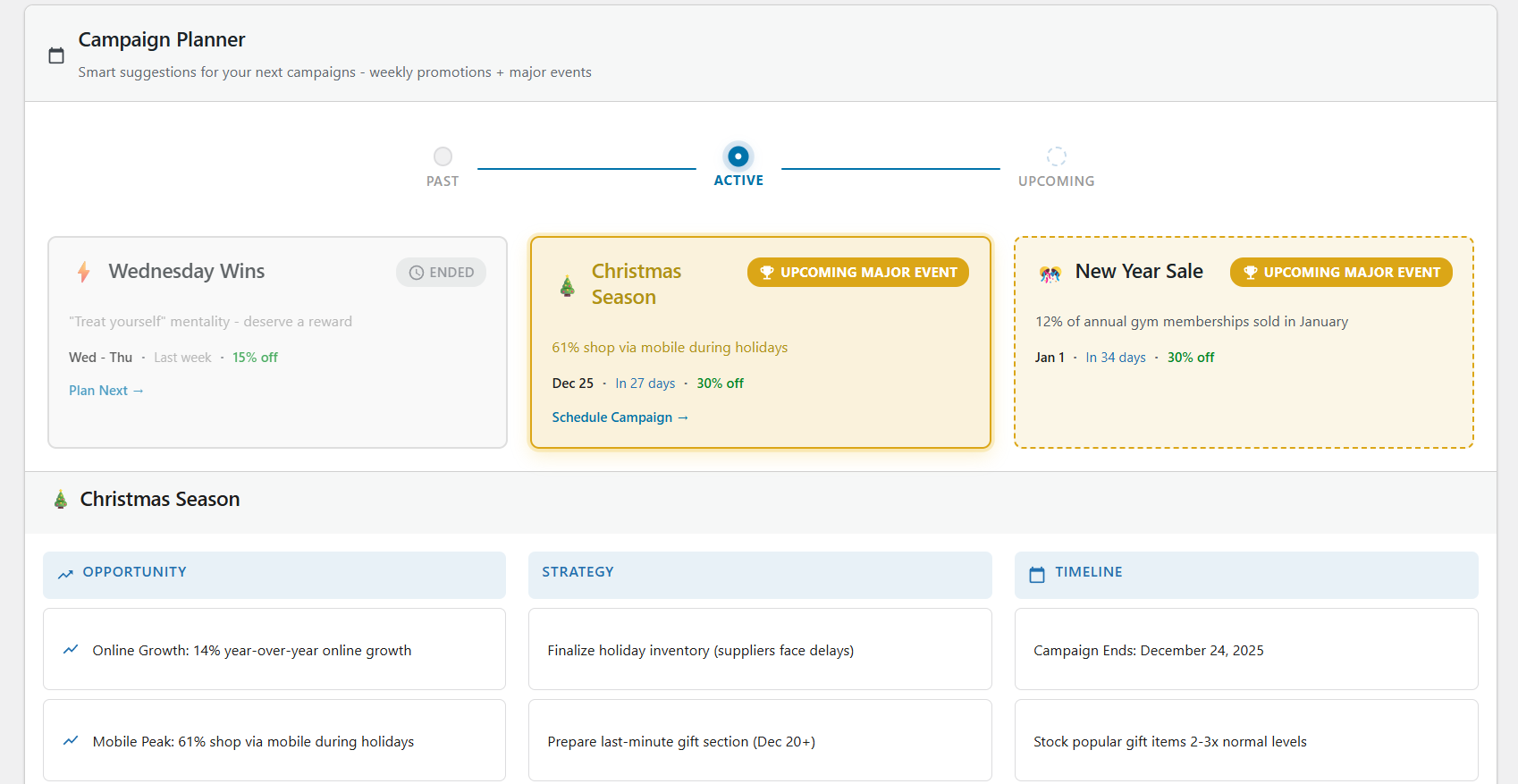
- Recurring promotions — set up a “Weekend Sale” once, it repeats automatically
- Smart conflict detection — the plugin warns you before overlapping discounts cause problems
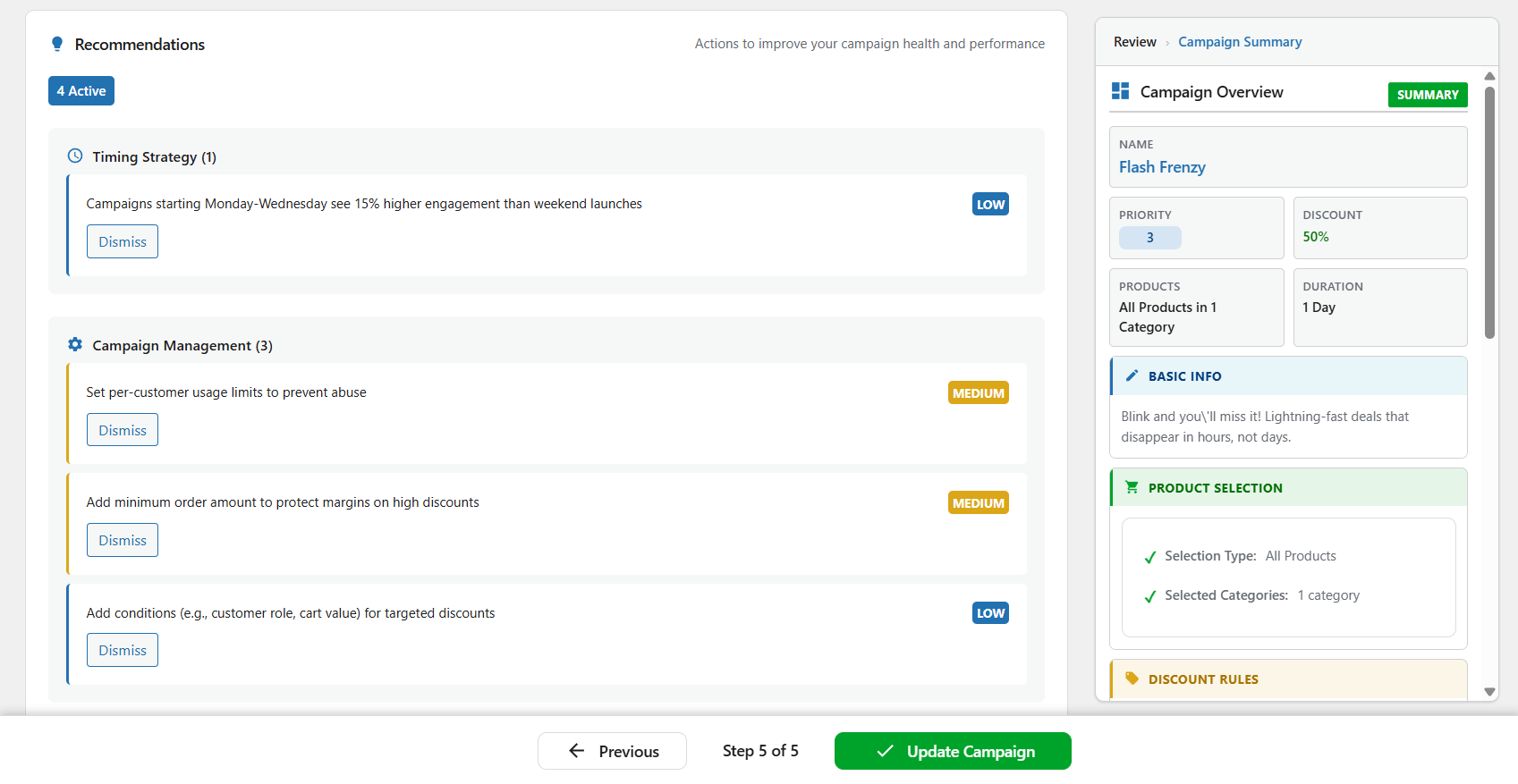
- Campaign Intelligence — tells you which promotions are working and what to do next
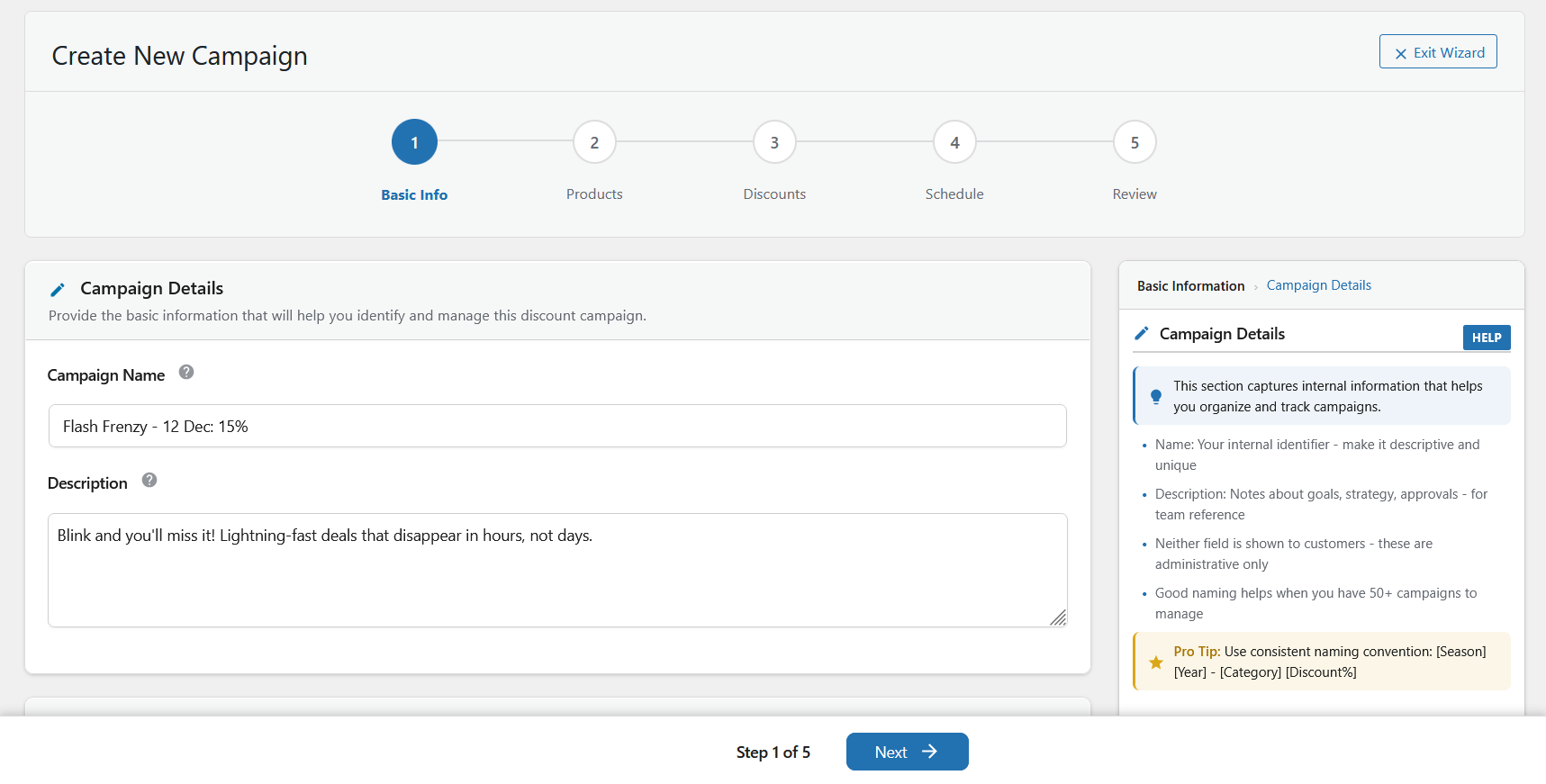
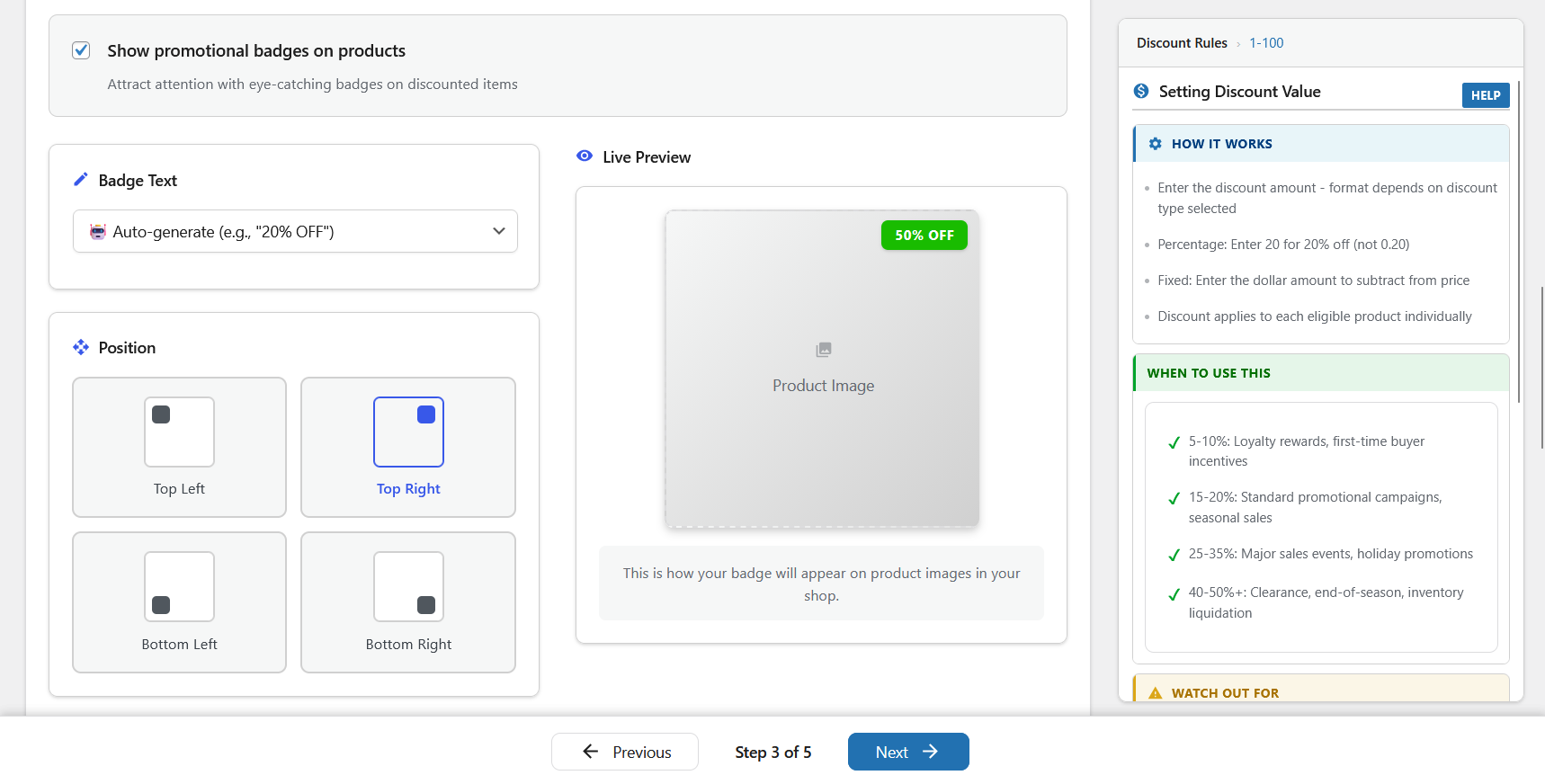
- 5-step wizard — create a campaign in minutes with guided setup and live preview
- Setup wizard — scans your store on first install, detects conflicts, gets you started fast
- Priority system — control exactly which discount wins when campaigns overlap
- Works with any theme — uses WooCommerce’s native sale price system
Perfect For
- Stores running seasonal sales (Black Friday, holiday, summer) that need to start and stop on time
- Stores with multiple promotions that need to avoid conflicts and overlapping discounts
- Stores that want to automate recurring deals (weekly specials, daily flash sales)
- B2B and wholesale stores using role-based or tiered quantity pricing
- Anyone tired of manually editing product prices every time a sale starts or ends
WooCommerce Discount Types and Dynamic Pricing Features
Free version includes:
- Percentage discounts
- Fixed amount discounts
- BOGO (Buy One Get One) deals
- Coupon-code campaigns — require a shared code at checkout for any discount type
- URL auto-apply (
?wsscd_code=YOURCODE) for sharing codes in emails and social posts - Free shipping toggle inside campaign setup
- User role targeting (include/exclude roles)
- Location targeting by billing or shipping country
- Recurring campaign scheduling — certain weekdays, days of the month, or daily time windows
Pro version adds:
- Tiered quantity discounts (volume pricing)
- Spend threshold discounts (cart-based conditions)
- Bundle deals (percentage, fixed, flat bundle pricing)
- Bulk unique-code generation (up to 50,000 single-use codes per campaign, CSV export)
- Single-use enforcement (lock a code to one redemption per code or per customer)
- Advanced discount-rule controls for deeper eligibility and margin protection
- Advanced subscription discount controls (when WooCommerce Subscriptions is active)
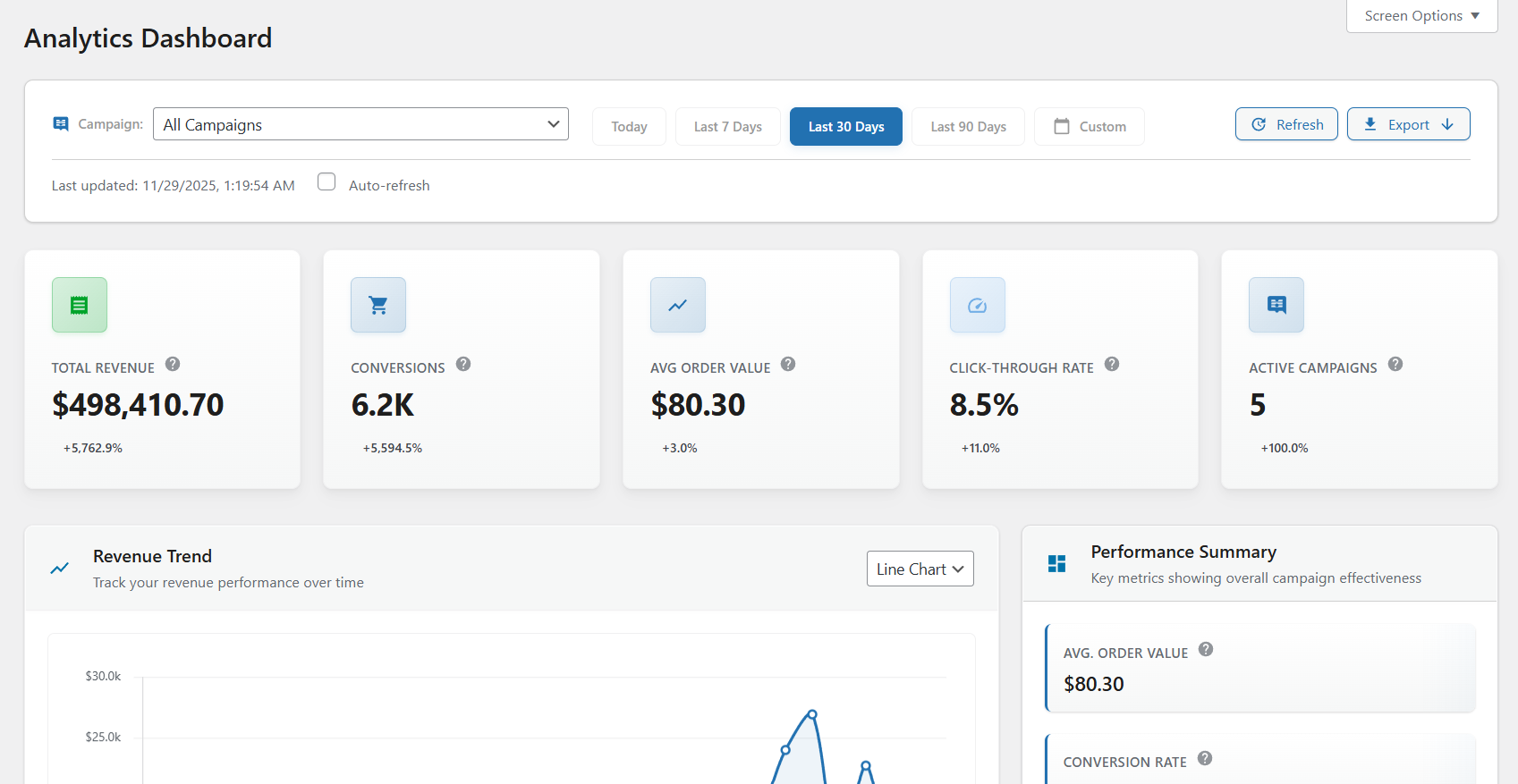
- Full analytics dashboard and advanced exports
Advanced WooCommerce Promotion Engine
Smart Cycle Discounts is built as a campaign system, not a one-off rule editor.
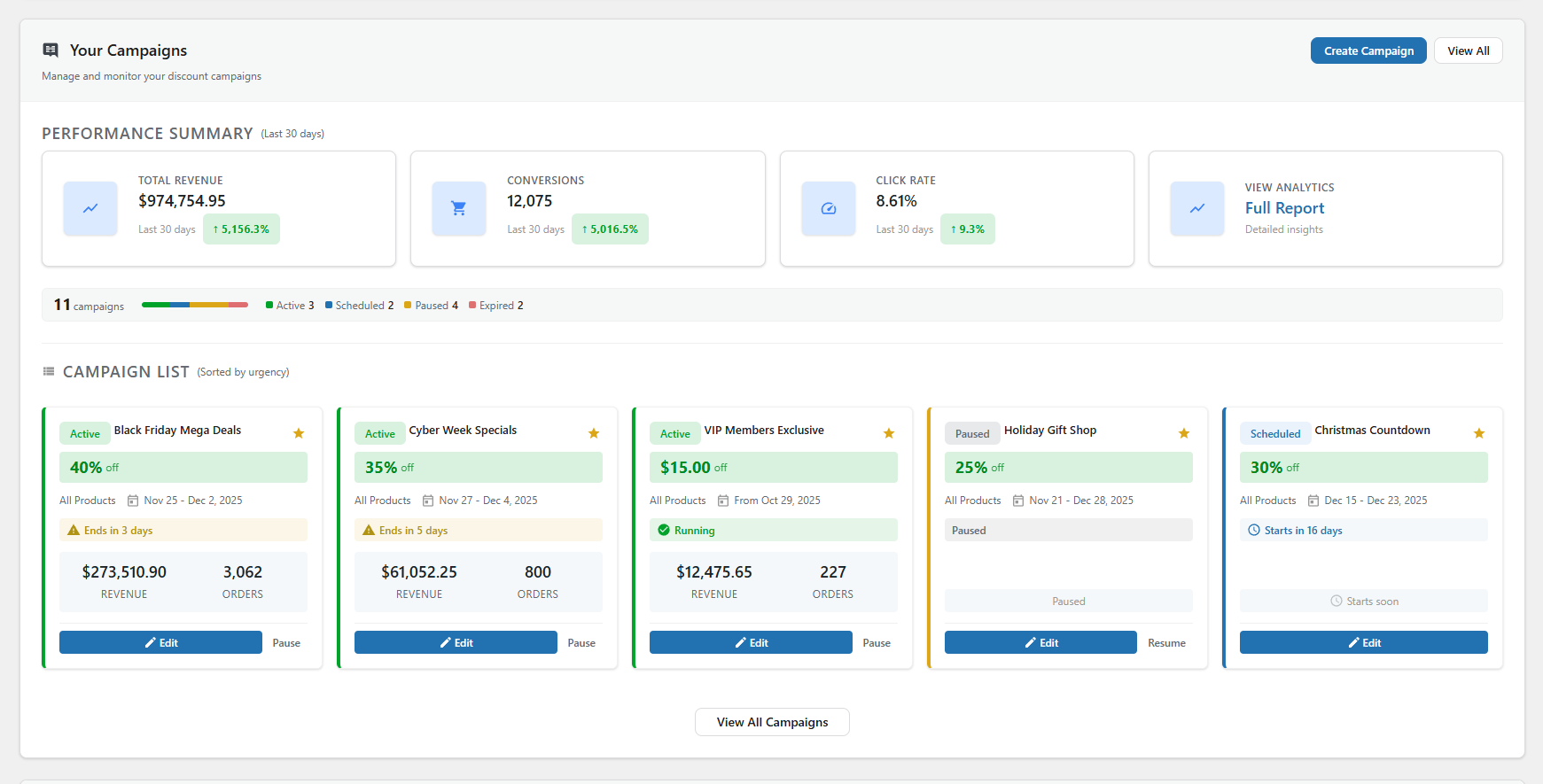
- Campaign lifecycle management (draft scheduled active expired)
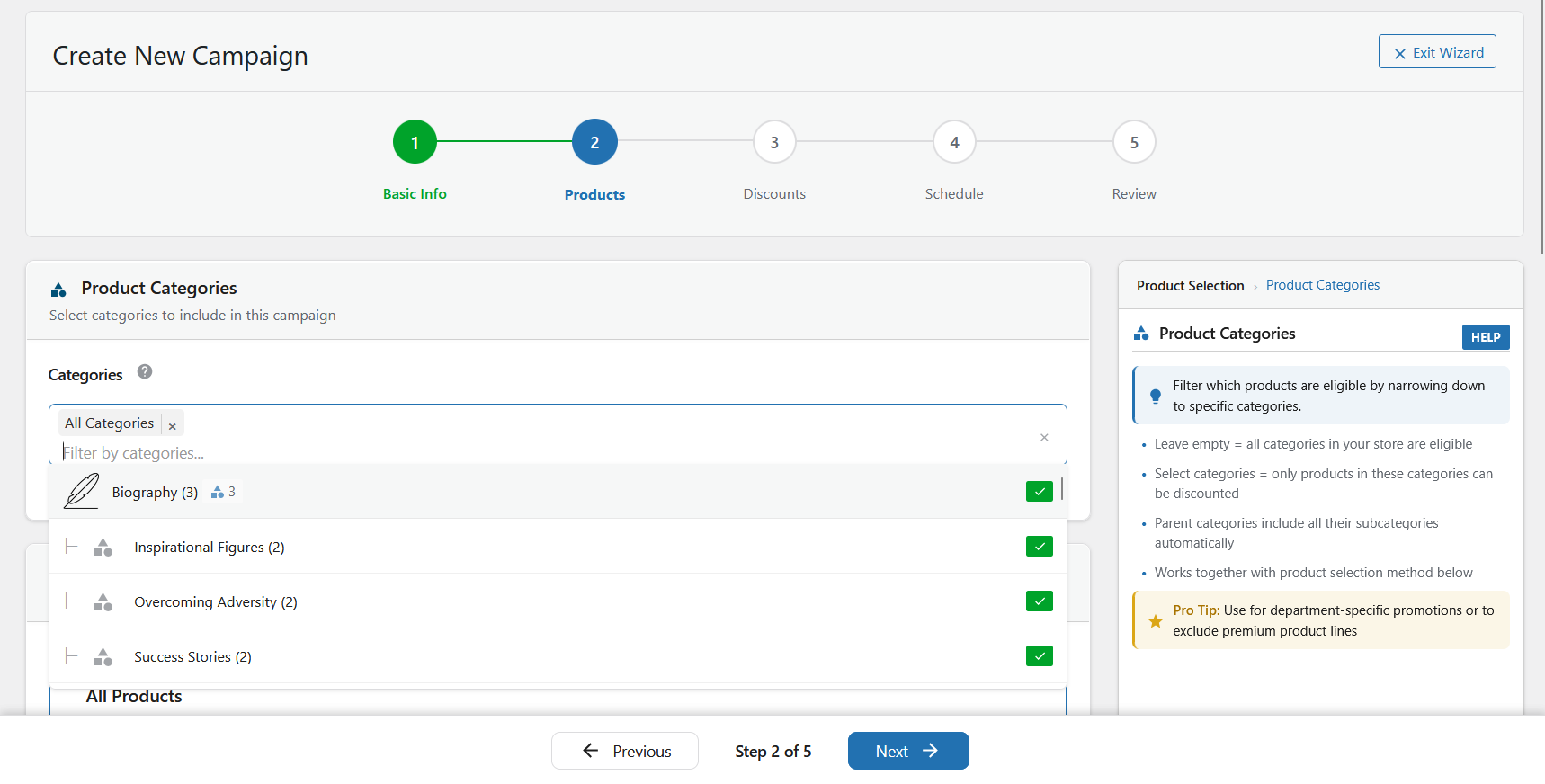
- Smart product targeting (all products, specific products, random products, categories, advanced filters)
- Timezone-aware scheduling automation
- Priority resolution when campaigns overlap
- Optimized caching and operations for larger WooCommerce catalogs
WooCommerce Promotion Conflict Detection
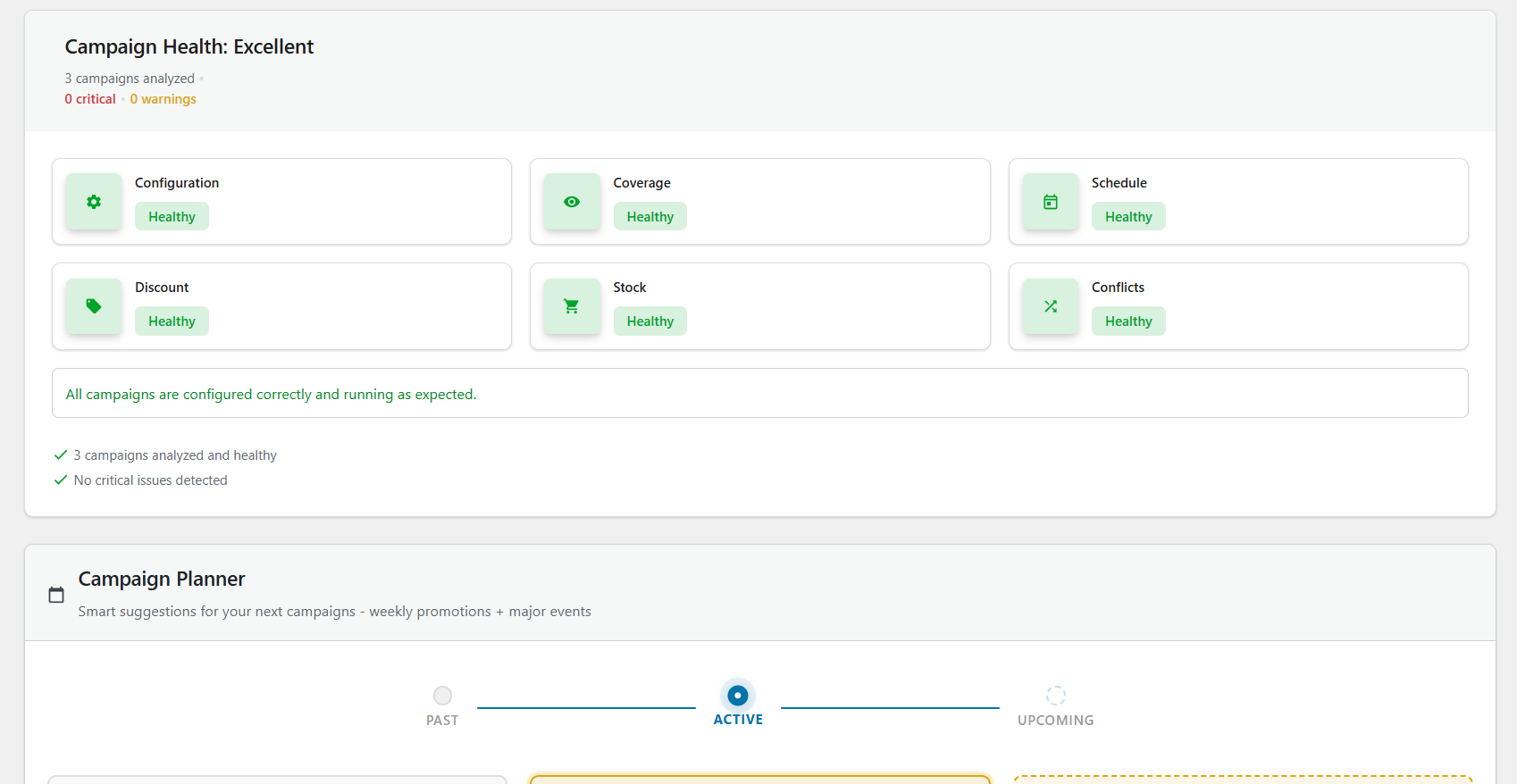
Before launch, Campaign Health and Campaign Intelligence evaluate operational risks including:
- Promotion conflicts and overlapping discounts
- Priority ties across concurrent campaigns
- Stock exposure and product readiness
- Schedule and timing consistency
- Discount integrity and risk indicators
This shifts teams from reactive troubleshooting to proactive promotion control.
WooCommerce Campaign Analytics and Intelligence
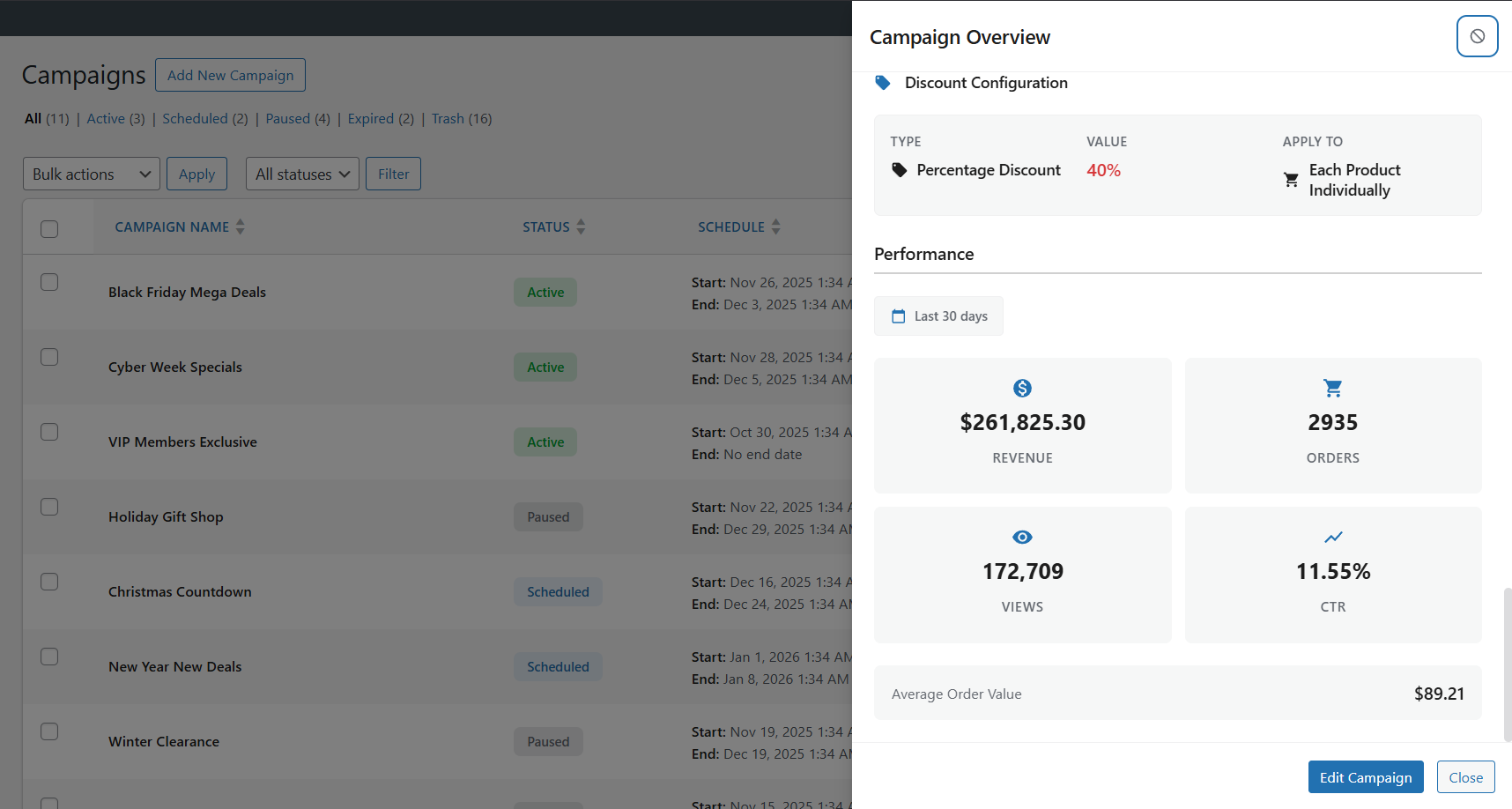
Smart Cycle Discounts includes campaign-level operational insight so you can evaluate:
- Which campaigns are driving meaningful revenue
- Which discounted products perform best
- Which promotions should be scaled, paused, or redesigned
The analytics dashboard helps stores optimize promotions instead of guessing which discounts work best.
Advanced analytics depth and exports are available in Pro, while base Campaign Intelligence guidance is included in the free version.
Popular WooCommerce Promotion Use Cases
Smart Cycle Discounts can be used to run:
- WooCommerce BOGO campaigns
- WooCommerce bulk discount and tiered pricing campaigns
- WooCommerce scheduled sales and recurring promotions
- WooCommerce bundle discount campaigns and product packages
- WooCommerce flash sales and seasonal campaigns
- WooCommerce customer-segment discounts (roles and locations)
- WooCommerce coupon code campaigns (private codes for email blasts, influencer codes, loyalty rewards)
- WooCommerce promotion cycles with planned campaign scheduling
Why Store Owners Switch to Smart Cycle Discounts
Most discount plugins let you create rules. Smart Cycle Discounts lets you run promotions.
Common problems with other discount plugins:
- Discounts calculated on-the-fly slow your store to a crawl
- “Sale” filter plugins can’t find your discounted products
- Two discounts overlap and customers get double savings you didn’t intend
- The free version is empty — every useful feature is locked behind Pro
- Uninstalling leaves leftover sale tags and data in your database
How Smart Cycle Discounts is different:
- Sale badges and strikethrough on your storefront — discounts render through WooCommerce’s price filters, so your theme’s “Sale!” badge and crossed-out pricing appear automatically on shop, category, product, and search pages. No frontend JavaScript, and no bulk price rewrites on activation — active-campaign data is cached and product terms batch-loaded to keep pages fast.
- Built-in conflict detection — Campaign Intelligence catches overlapping discounts, priority ties, and pricing risks before your customers do. You’ll know about problems before they cost you money.
- Genuinely useful free version — percentage off, fixed amount, BOGO, scheduling, recurring campaigns, role targeting, and location targeting are all included free. No bait-and-switch.
- Clean uninstall — deactivating or removing the plugin restores your original prices and removes all plugin data. No leftover sale tags or orphaned database entries.
- Performance-first architecture — active campaigns are cached, product terms are batch-loaded, and admin assets only load on plugin pages. Your store stays fast.
Documentation & Resources
Getting started
Guides
- Discount types reference
- Scheduling & recurring campaigns
- Cycle AI
- Use case walkthroughs
- Developer documentation
- Troubleshooting
More
More from Webstepper
TrustLens — Fraud Prevention & Chargeback Defense for WooCommerce — Smart Cycle Discounts grows your revenue; TrustLens protects it. It scores every customer 0–100 and catches return abuse, coupon fraud, fraud rings, and card-testing attacks before they hit your margin — all 8 detection modules free, and you stay in control: block, allowlist, or just watch.
Get Started
- Install and activate the plugin
- The setup wizard scans your store and checks for conflicts
- Create your first campaign — describe it to Cycle AI or use the 5-step wizard
- Your discounts go live automatically — no product editing needed
Need Help?
External Services
This plugin’s Cycle AI feature (optional, opt-in) relies on a hosted AI service operated by Webstepper to generate campaign drafts from natural-language descriptions.
What the service does. When you use Cycle AI, the plugin sends your typed prompt and a summary of your store catalog to Webstepper’s hosted endpoint at cycle-ai-proxy.usa-mv96.workers.dev. That endpoint verifies your plan tier with Freemius, enforces a per-plan usage quota, then forwards the request to OpenAI (api.openai.com). OpenAI generates the campaign draft, which is returned to your site and rendered in the Cycle AI chat panel for your review. The draft is never published as a live campaign until you explicitly approve and save it through the wizard.
What data is sent.
- Your typed prompt and the conversation history for the current draft.
- A summary of your store catalog: product names, IDs, category names, tag names, and category product counts. Used so the AI can reference real products and categories when drafting campaigns.
- Your Freemius install ID, anonymous install UID, and (if you have a Pro license) your license secret key. Used to validate your plan tier and enforce quotas.
What data is NOT sent. The plugin does not transmit customer names, customer email addresses, order data, transaction history, or any personally identifiable information about your shoppers.
When data is sent. Only when you explicitly click a button that invokes Cycle AI (typing a prompt and pressing Send, or refining an existing draft). The plugin does not make any background calls to the service.
Consent. Before the first Cycle AI call, the plugin shows a consent modal listing exactly what data will be sent and linking to Webstepper’s privacy policy and terms of service. No data is transmitted until you accept. You can revoke consent at any time by disabling the feature.
Providers and policies.
- Webstepper (hosted AI service, rate limiting, tier validation): Privacy Policy — Terms of Service
- OpenAI (the underlying language model): Privacy Policy — Terms of Use
If you do not use Cycle AI, no external service calls are made by this plugin.
Screenshots
FAQ
How do I schedule WooCommerce sales automatically?
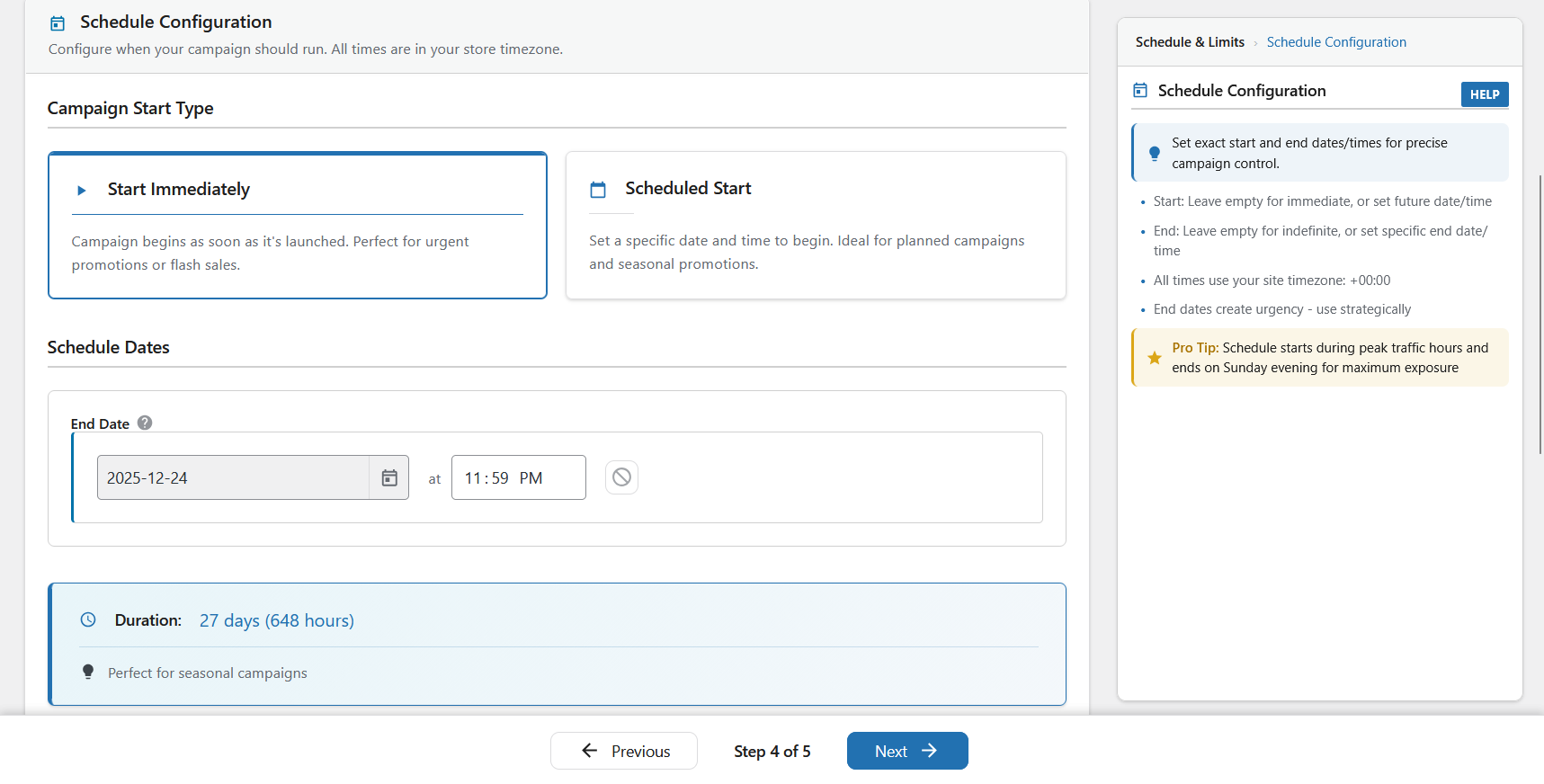
Install Smart Cycle Discounts, create a campaign using the 5-step wizard, and set your start and end dates in the Schedule step. The plugin automatically activates your sale prices at the scheduled time and removes them when the campaign ends. No manual work required – your WooCommerce sale prices update themselves on schedule. See automatic activation for the details.
What WooCommerce discount types are supported?
The free version supports percentage discounts, fixed amount discounts, and BOGO deals (Buy One Get One) on any WooCommerce product. The Pro version adds tiered quantity discounts (volume-based dynamic pricing), spend threshold discounts (minimum cart value offers), and bundle discounts (buy a set of products together for a deal). All discount types work with the automated scheduling system. See the discount types reference for a full breakdown.
Is this a WooCommerce dynamic pricing plugin?
Yes. Smart Cycle Discounts supports dynamic pricing through multiple discount types. The free version includes percentage discounts, fixed amount discounts, and BOGO deals. The Pro version adds tiered quantity pricing (buy more, save more), spend threshold discounts, and bundle deals – all the dynamic pricing options you need for a WooCommerce store.
Can I set up BOGO deals in WooCommerce with this plugin?
Yes. BOGO (Buy One Get One) deals are included free. You can create Buy 1 Get 1 Free, Buy 2 Get 1 at 50% off, or any custom buy/get combination with your chosen discount percentage. BOGO campaigns run on the same automated schedule as all other discount types. See the BOGO guide for setup examples.
How do I create bulk discounts for WooCommerce?
Use the Tiered Quantity Discounts feature (Pro). Set quantity breaks like: Buy 5+ get 10% off, Buy 10+ get 20% off, Buy 25+ get 30% off. The discount applies automatically at checkout based on the quantity in the cart. Perfect for wholesale, B2B, and volume-based WooCommerce pricing. Learn more about tiered volume pricing.
How do I automate Black Friday and Cyber Monday sales?
Create a campaign with your desired discount, select your products, and schedule it for your Black Friday dates (e.g., November 29 12:00 AM to December 2 11:59 PM). You can set this up weeks in advance using Draft mode. The campaign activates and deactivates automatically – no midnight price editing required.
Can I use this alongside another discount plugin?
We recommend against running two discount plugins simultaneously — they both modify WooCommerce pricing and can conflict, leading to incorrect prices or double discounts. When you install Smart Cycle Discounts, the setup wizard automatically detects 19 known discount plugins and warns you if any are active. It can deactivate conflicting plugins for you directly from the wizard, so you don’t have to hunt through your plugins list.
Is Smart Cycle Discounts compatible with my theme?
Yes. Smart Cycle Discounts is a backend plugin that works with any properly coded WordPress theme. It integrates with WooCommerce’s native sale price system, so your theme’s existing sale price styling applies automatically. No theme modifications needed.
Can I schedule campaigns in advance?
Yes. Use the Schedule step in the wizard to set specific start and end dates/times. Campaigns activate and deactivate automatically based on your schedule. You can create campaigns weeks or months in advance using Draft status, then set them to Scheduled when ready.
How many campaigns can I create?
There are no campaign limits – you can create and run unlimited campaigns in both the free and Pro versions. Run as many simultaneous promotions as your store needs.
What’s the difference between the discount types?
Free Version: – Percentage: Reduce price by a percentage (e.g., 25% off = $100 product becomes $75) – Fixed Amount: Reduce price by fixed amount (e.g., $10 off = $100 product becomes $90) – BOGO: Buy One Get One offers with flexible configurations (e.g., Buy 2 Get 1 Free)
Pro Version: – Tiered: Quantity-based dynamic pricing (e.g., Buy 5 get 10% off, Buy 10 get 20% off) – Spend Threshold: Discount based on cart total (e.g., Spend $100 get 15% off) – Bundle: Product bundle deals (e.g., Buy shampoo + conditioner + mask for 20% off)
Will this slow down my site?
No. Smart Cycle Discounts does its heavy lifting in the background rather than on the frontend: it caches active-campaign data, batch-loads product terms in a single query, and loads its scripts only on admin plugin pages. Discounts apply through WooCommerce’s own price filters server-side, so there’s no frontend JavaScript adding page weight.
On a shop page with 20+ products, the active-campaign lookup is resolved once and reused across products, so the plugin keeps its per-page overhead low.
Will my discounted products show a sale badge?
Yes — on your storefront. Because discounts apply through WooCommerce’s price filters, your theme’s “Sale!” badge and strikethrough pricing appear automatically on shop, category, product, and search pages. One thing to know: campaign discounts are applied at display time, not written to each product’s stored
_sale_pricefield — so they won’t populate WooCommerce’s built-in “On Sale” shortcode/block or third-party sale filters (FacetWP, etc.) that read stored sale data.Can I run multiple discount campaigns at the same time?
Yes. You can run unlimited campaigns simultaneously. Use the Priority field (1-5, where 5 is highest priority) to control which campaign takes precedence when multiple campaigns affect the same product. This prevents discount stacking and gives you full control.
What’s the difference between “All Products”, “Specific Products”, and “Random Products”?
- All Products – Applies discount to your entire product catalog. Best for store-wide sales.
- Specific Products – You manually select which products to discount using the AJAX-powered product search. Best for targeted promotions.
- Random Products – Plugin automatically selects X random products from your catalog each day. Best for “deal of the day” promotions that drive repeat visits.
Does it work with WooCommerce HPOS (High-Performance Order Storage)?
Yes. Smart Cycle Discounts is fully compatible with WooCommerce HPOS and has been tested with custom order tables. It works with both the legacy post-based storage and the new High-Performance Order Storage system.
Does it work with WooCommerce Subscriptions?
Yes. Subscription products are fully supported. On the free tier, discount campaigns apply to the recurring subscription price automatically – no special setup needed. Your subscription product pages show strikethrough pricing just like regular products (e.g., ~~$29/month~~ $23.20/month). The Pro version adds advanced subscription controls: choose whether to discount the recurring price, the sign-up fee, or both. You can also limit discounts to the first X renewal payments – for example, “20% off for the first 3 months, then full price.” If WooCommerce Subscriptions is not installed, the subscription settings simply don’t appear in the wizard.
Does it work with WooCommerce block-based cart and checkout?
Yes. Smart Cycle Discounts fully supports WooCommerce block cart and checkout pages (WooCommerce 8.3+). Discounted prices display correctly with strikethrough formatting in both classic templates and the new block-based cart/checkout. The plugin automatically detects which template you’re using and applies the appropriate discount display logic. No configuration needed – it just works.
Can I duplicate an existing campaign?
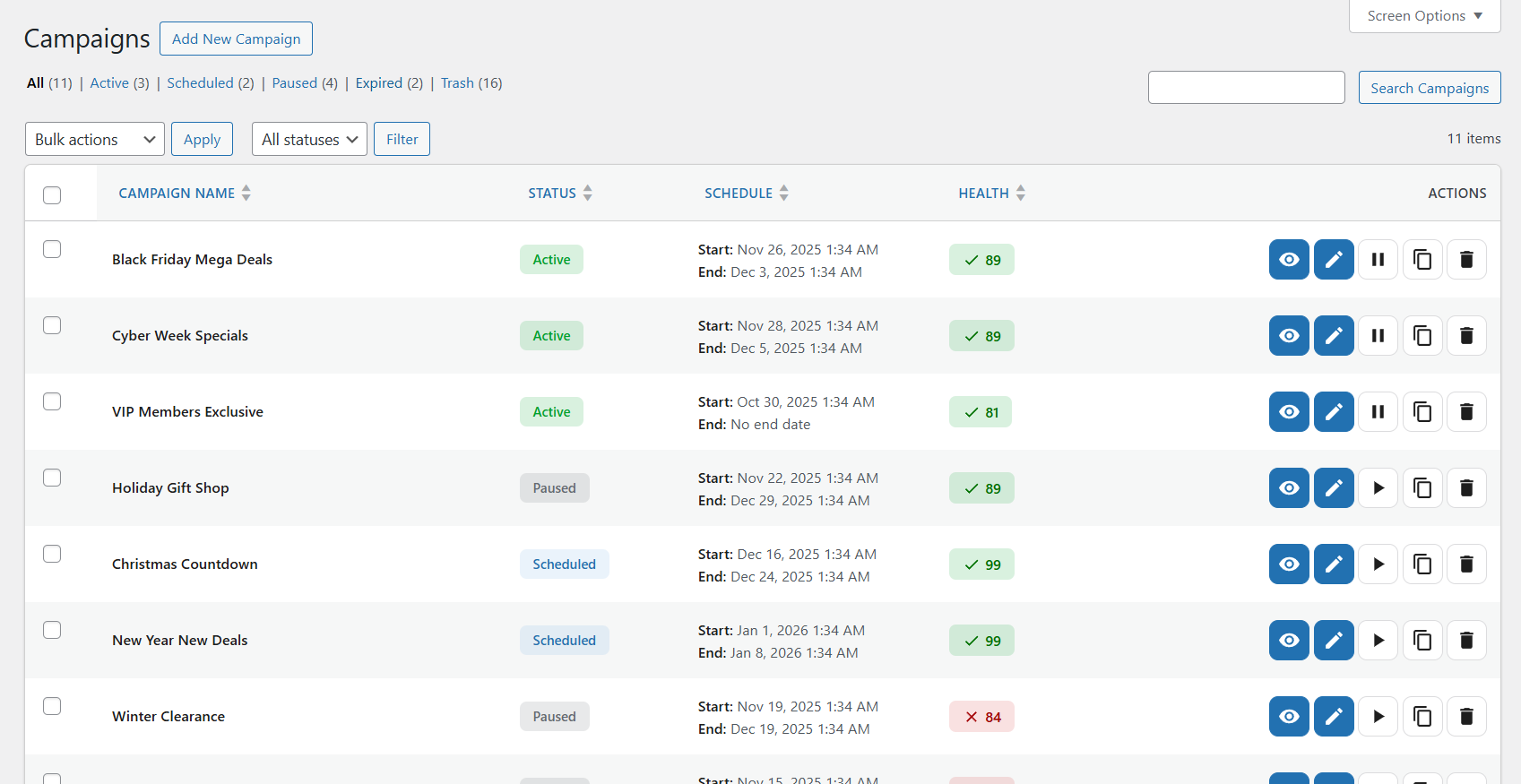
Yes. On the Campaigns list page, hover over any campaign and click the “Duplicate” action. This creates a copy of the campaign with all settings intact, which you can then modify as needed. Great for creating seasonal promotions based on previous campaigns.
How does the priority system work?
When multiple campaigns affect the same product, the campaign with the highest priority (5 = highest, 1 = lowest) takes precedence. This lets you run multiple campaigns without conflicts – for example, a high-priority flash sale can override a lower-priority seasonal discount.
Can I export campaign data?
Campaign analytics and export features are available in the Pro version. Pro users can export campaign performance data in CSV or JSON format, and schedule automated reports.
What happens when a campaign ends?
When a campaign reaches its end date/time, it automatically deactivates and removes the sale prices from affected products. The campaign remains in your list as “Expired” and can be duplicated or reactivated with new dates. Your original product prices are restored automatically.
Is there a way to test campaigns before activating them?
Yes. Use the Draft status to create and configure campaigns without activating them. You can review the campaign settings, check the health score, and preview which products will be affected. When ready, change the status to Active or Scheduled.
Does it work with WooCommerce variable products?
Yes. Smart Cycle Discounts fully supports WooCommerce variable products. By default, applying a discount to a variable product discounts all of its variations, and the sale price displays correctly on both the main product page and individual variation selections.
With a PRO license you can also narrow a campaign to individual variations: pick a variable product under Specific Products, then choose which variations should be discounted. Only those variations change price, and the rest of the product stays at its regular price.
Can I build a page that lists only the discounted products?
Yes, and you do not have to build it by hand: go to Tools -> Sale Page and click Create Page. The plugin makes a draft page with the shortcode already in it, and you publish it when you are ready.
To place it yourself, put
[wsscd_sale_products]on any page or post. It lists every product your active campaigns are currently discounting, using your theme’s own product grid, and acceptscolumns,limit,orderby,order,category,campaignandpaginateattributes. The page is paginated by default; passpaginate="no"to render the whole sale at once.With a PRO license, add
show_variations="yes"and each discounted variation is listed as its own item instead of its parent product – useful for a clearance page where only one size or configuration is on sale. Each card links to that exact variation and its button adds that variation straight to the cart.Can I exclude products that are already on sale?
Yes. The plugin respects existing sale prices. If a product already has a manual sale price set in WooCommerce, you can configure your campaign to skip those products or override them based on your preference.
Can I offer free shipping with discount campaigns?
Yes. Enable free shipping for any campaign with a single toggle in the Discounts step. When enabled, customers receive free shipping on qualifying orders. You can apply free shipping to all shipping methods or select specific methods like flat rate or local pickup. This is included in the free version.
Can I create wholesale or member-only discounts?
Yes. Use the User Role Targeting feature to restrict discounts to specific WordPress user roles. Choose “Include” mode to give discounts only to selected roles (e.g., “Wholesale Customer” or “Premium Member”), or “Exclude” mode to give discounts to everyone except certain roles. This makes it easy to create B2B pricing, membership discounts, or role-based promotions – all from the same WooCommerce store.
Does it work alongside WooCommerce coupons?
Yes. Campaign discounts and WooCommerce coupons work independently. Campaign discounts apply to product prices (shown as sale prices), while coupons apply at checkout. Customers can use both together unless you configure specific restrictions.
What happens if two campaigns affect the same product?
The campaign with the higher priority wins — no double discounts, no surprises. Each campaign has a priority setting from 1 (lowest) to 5 (highest). When multiple active campaigns include the same product, only the highest-priority discount applies. Campaign Intelligence also warns you before launch if a new campaign overlaps with an existing one, so you can adjust priorities or schedules before any customer sees an unintended price.
How is this different from WooCommerce’s built-in sale price feature?
WooCommerce’s built-in sale prices are set per product – you need to edit each product individually. Smart Cycle Discounts lets you manage discounts at the campaign level: select hundreds of products at once, set a schedule, and the plugin handles everything automatically. You also get features like priority management, health monitoring, random product rotation, and campaign intelligence that WooCommerce doesn’t offer natively.
Can I create recurring weekly or monthly promotions?
Yes. Recurring campaigns are available in the free version. Choose “On a schedule” in the wizard and pick when the discount runs: certain weekdays (like every Monday & Tuesday), days of the month (including “last day”), or every day within a time window — daily happy hours and overnight windows included. Run it forever or until a date, and the preview shows you the exact next dates it will fire. Set up a “Weekend Special” once and it repeats every weekend automatically.
Is there a limit on how many products I can discount?
No. You can apply discounts to your entire product catalog or select specific products. The plugin is optimized with efficient database queries and caching to handle stores with thousands of products without performance issues.
Can I set minimum order requirements for discounts?
Yes (Pro). Application rules let you fine-tune when discounts apply. Set minimum quantity requirements (e.g., “discount only applies when buying 3+ items”), minimum order value thresholds, and choose whether to exclude products already on sale. These rules give you precise control over discount eligibility.
What happens if I uninstall the plugin?
Your store goes back to normal. Deactivating the plugin automatically restores your original product prices — no leftover sale tags, no phantom discounts. If you fully delete the plugin, all campaign data, settings, and database tables are removed cleanly. You can also choose to keep your data (in Settings) if you plan to reinstall later.
How do I control discount stacking with coupons?
Pro users can configure combination policies for each campaign. Choose whether your campaign discount can be combined with WooCommerce coupon codes or if it should be mutually exclusive. This prevents over-discounting and protects your margins when running multiple promotions.
Reviews


Contributors & Developers
“Smart Cycle Discounts – AI Dynamic Pricing & Scheduled Sales for WooCommerce” is open source software. The following people have contributed to this plugin.
Contributors
“Smart Cycle Discounts – AI Dynamic Pricing & Scheduled Sales for WooCommerce” has been translated into 1 locale. Thank you to the translators for their contributions.
Interested in development?
Browse the code, check out the SVN repository, or subscribe to the development log by RSS.
Changelog
2.2.42
- Improvement: The campaign explains a short draw — when fewer products qualify than you asked for, the campaign shows how many were selected and why, for example “Only 7 of 15 random products could be selected… 8 are already on sale”.
- Improvement: Clearer activity notice — “No discount activity detected” read like the discount was not showing. It counts orders, and now says “No orders have used this discount”.
- Fix: Random campaigns keep their full product count — a campaign set to skip items already on sale counted its own discount as a sale. At every rotation it ruled out the products it had just discounted, so a 15-product draw came back with 7, and a pool narrowed by a stock filter could end at 0. Only prices you set in WooCommerce count as “on sale” now.
- Fix: A higher-priority campaign that cannot apply no longer blocks the next one — when the top campaign’s own rules ruled it out for a product (sale items excluded, country not targeted, usage limit reached), the product was left at full price even though a lower-priority campaign covered it. The next campaign in line now applies, and the sale badge always names the campaign that actually prices the product.
- Fix: Conflict notes count the right thing, in the right direction — a winning campaign with one product shared by three others read “3 shared products are overridden”. It now reads “Overrides lower-priority campaigns on 1 shared product”, and counts products, not campaigns.
- Fix: Two random campaigns on the same products no longer share a draw — they could be handed each other’s cached selection.
- Fix: Changing the tag, category or sale-items setting of a running random campaign now takes effect — it previously kept serving the old selection until the next rotation.
- Fix: “Exclude out of stock” filters behave in the Products step — the product list ignored exclude filters, and the checker misread “exclude / is not” as a contradiction.
- Cleanup: Removed the “Campaign Stacking” option — each product always receives one campaign’s discount, chosen by priority, so the checkbox never changed anything. Existing campaigns are unaffected.
- Cleanup: Smaller debug logs — discount entries no longer copy the whole product into the log.
2.2.41
- Fix: The Account screen no longer ends in a critical error — on a site that skipped the account connection step, opening Smart Cycle Discounts Account showed “There has been a critical error on this website” instead of a page. That screen can only describe an account that exists, and it was being added to the menu whether one existed or not, so with nothing connected it had nothing to read. It now shows a Connect account or activate license button instead, and stays out of the menu entirely until there is something to show. If you were caught by this, your license can also be activated from the Plugins page, using the Activate License link under Smart Cycle Discounts.
- Cleanup: A licensing screen that cannot render now says so — these screens come from the licensing framework and assume an account state we do not always control. Any future assumption they make that is not met now produces a short message on the page rather than taking the whole admin screen down.
2.2.40
- New: Discount a single variation instead of the whole product (PRO) — pick a variable product under Specific Products and a second field appears listing its variations. Choose one and only that variation changes price; every other size, colour or configuration stays at its regular price. Until now a campaign applied to a variable product always discounted all of its variations, with no way to narrow it.
- New: One-click sale page — Tools now has a Sale Page card that creates a draft page already carrying the shortcode, with Edit and View links once it exists. The shortcode that lists your discounted products has been in the plugin since 2.1.16 but appeared nowhere in the admin, so the only way to discover it was to read the plugin’s source.
- New: The sale page can list variations as separate items (PRO) — with show_variations=”yes” a discounted 180×200 mattress appears as its own card, with its own price and a button that adds exactly that variation to the cart, rather than appearing as the parent product with every size still to choose from.
- New: The sale page pages itself — it previously rendered every discounted product on one page, which on a large clearance sale meant hundreds of items in a single request. Add paginate=”no” for the old behaviour.
- New: Campaign changes clear the page cache — a campaign going live, ending or changing status now asks WP Rocket, W3 Total Cache, WP Super Cache, WP Fastest Cache, SiteGround Optimizer, LiteSpeed, Cache Enabler, Breeze, Nginx Helper and Hummingbird to drop their cached pages. Prices used to keep showing the pre-campaign figures until the cache expired on its own. Host-level caches can listen for the new wsscd_purge_page_cache hook.
- Fix: The sale page matches your theme — its cards are now built through WooCommerce’s own product-loop hooks, so the sale flash, the rating, the theme’s own card layout and this plugin’s promotional badges all appear exactly as they do on your shop page. The variation cards previously used their own markup and showed none of them.
- Fix: A variation-only campaign shows a badge on the shop page — when a campaign discounted just one variation, the parent product matched no campaign, so its card in the catalogue carried no badge at all.
- Fix: A sale page filtered by category no longer drops variations — variations carry no categories of their own, so filtering by one discarded every variation-scoped campaign. They are now matched through their parent’s categories.
- Fix: Sorting on the sale page — orderby now works for price, title and date when variations are listed individually.
2.2.38
- Fix: The review step can be left again — the Edit buttons on the summary, the step links in the progress bar and the Back button all reported “Navigation failed. Please try again.” and stayed put. The wizard tries to save the step you are leaving, and the review step has no form to save, so the save could not happen and the move was refused. Only Publish was unaffected, which is why a wizard you cannot navigate backwards out of still looked healthy.
- Fix: Saving settings now tells you it saved — the page displayed a message box that nothing ever wrote to, so changing log verbosity, retention or any other option gave no confirmation at all. The values were being stored correctly the whole time; there was simply no sign of it.
- Fix: The published-campaign dialog can be closed — after publishing, the dialog offered three buttons and every one of them navigated away. There was no close control, and the Escape key answered only when something had gone wrong. It now has a close button, and Escape works once the save has finished.
- Fix: That dialog is no longer see-through at the top — the top third of the card was almost fully transparent, so the celebration and the headline sat over the dimmed page behind them and read as a rendering fault.
- Fix: Campaign names are readable in the list — the name column was the narrowest in the table, narrower than the actions beside it, so names broke mid-word and each row stood nearly three times taller than it needed to. The name column now takes the space the layout always intended for it, and the list shows far more campaigns at a glance.
- Fix: Section descriptions on the settings pages read as descriptions — each one was rendered as a filled alert box with an accent bar, floating a line below its heading, so a page of ordinary explanatory text looked like a page of warnings.
- Cleanup: Internal tidying — a save mechanism the WordPress Settings API had already replaced, a message box with no writer, and a stylesheet rule nothing reached, all removed; plus a new development check that catches the class of markup fault behind two of the fixes above.
2.2.37
- New: Choose how long analytics are kept — Settings General now has an analytics retention period. It had been fixed at 90 days by a value nothing in the plugin could change. Set it to 0 to keep everything.
- Fix: A discount code was taking its discount twice — a campaign set to 25% off billed the customer 50% off. A $400 cart came to $200 instead of $300. The price shown on the cart line was already reduced, and the code then reported the same saving again as its own discount, so WooCommerce took it off a second time. Every code-required campaign was affected, at every discount type and every percentage. Campaigns that apply automatically were never affected.
- Fix: Older orders are credited to the campaign that discounted them — when an order carried no per-item campaign details, the plugin looked the campaign up by product instead. That lookup returned “no campaign” every single time, without ever running, so those sales never reached the campaign’s conversion or revenue figures. Reports understated exactly the orders that needed the fallback.
- Fix: Restoring a campaign from the trash brings its schedule back — a restored campaign still started and ended on time, because a safety check catches that, but its “ending soon” email and its scheduled product rotation never ran again. Sending a campaign to the trash cleared them and nothing put them back.
- Fix: Analytics history no longer grows without limit — of the three tables the plugin appends to, only one was ever trimmed. Product-level analytics, by far the largest, and the activity log were kept forever on every store.
- Fix: Two scheduled jobs that could not do anything were retired — one pruned a table that no version of the plugin has ever created; the other wrote to a column nothing reads and repeated a cleanup that had already run minutes earlier. Both ran daily on every site. Sites upgrading will have the leftover jobs cancelled automatically.
- Fix: Saving the General settings no longer discards settings that tab does not show — each settings tab replaced its whole section on save, so any value without a field on that tab was deleted and fell back to its default.
- Fix: Category product counts refresh when campaigns change — the counts shown beside categories in the product picker were cached in a way that campaign updates could not clear, so they could stay up to an hour out of date.
- Cleanup: Dead code and dead wiring removed — an unused repository, a filter nothing ever triggered, cron schedules left over from an earlier scheduling system, and a one-off upgrade step that had no way to finish and so re-ran hourly for good. New automated checks now fail the build if a scheduled job loses its handler, if a hook gains a listener nothing fires, or if a settings field points at a method that does not exist — the three shapes of silent breakage behind several of the fixes above.
For the complete changelog of earlier versions, visit the full changelog.