
سرجمیں
Choose your categories and interval from the settings menu and it will display 1 post from the chosen categories at your set interval, chosen randomly.
اسکرین شاٹ
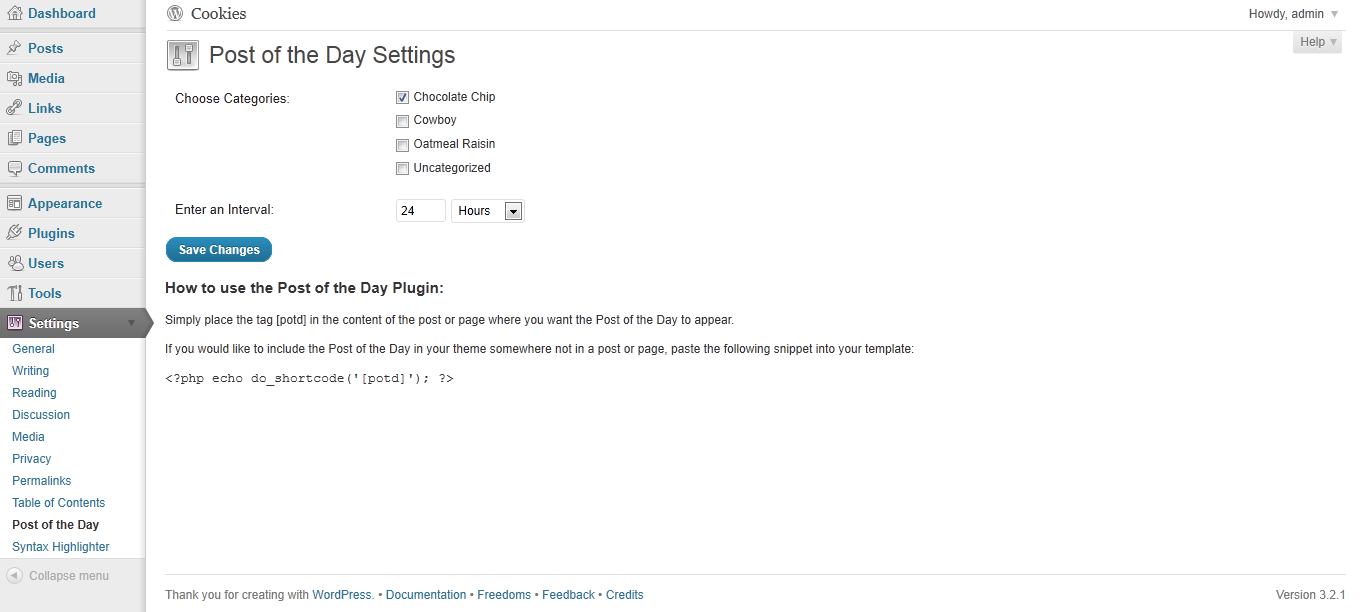
انسٹالیشن
- Upload the entire ‘post-of-the-day’ folder to the ‘/wp-content/plugins/’ directory.
- Activate the plugin through the ‘Plugins’ menu in WordPress.
- You should see “Post of the Day” under your Settings. Edit the settings.
- Include this shortcode within a post or page: [potd]
Alternatively, if you want to include the post somewhere in your theme that is not in a post or page, just include the following in your php page:
<?php echo do_shortcode('[potd]'); ?>
جُست ءُ پُرس
- Can I display more than one post at a time?
-
No, not at this point.
جائزہ

اپریل 5, 2023
I works, i guess. It displays a post.
There is little to no documentation, so it is hard to set up, eg are there any options for image other than thumbnail?
کمک کنوک & دیمروئی کنوک
“Post of the Day” اوپن سورس سافٹ ویئر اِنت۔ اے پلگ ان ءِ تہا رند ءِ مردماں وتی کرد پیلو کتگ۔
کمک کار
“Post of the Day” ءَ وتی زبان ءَ رجانک کن اِت۔
دیمروئی ءِ تہا دلچسپی داریت؟
کڈ ءَ براؤز کن اِت، SVN ءِ ذخیرہ ءَ بچار اِت، یا دیمروئی ءِ لاگ ءَ RSS ءِ وسیلہ ءَ سبسکرائب بہ کن اِت۔
چینج لاگ
1.0
First Release