

سرجمیں
Link Shortner helps you generate short links and share any URL on or off your WordPress website.
With this plugin, you can:
- Create short links for posts.
- Share short links on social media, emails, or anywhere online.
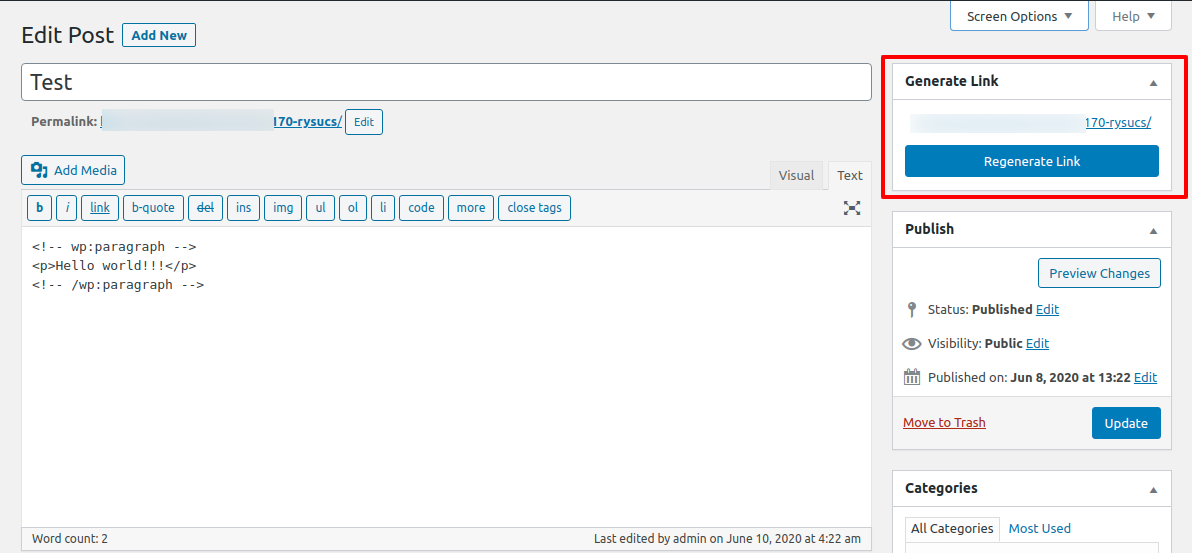
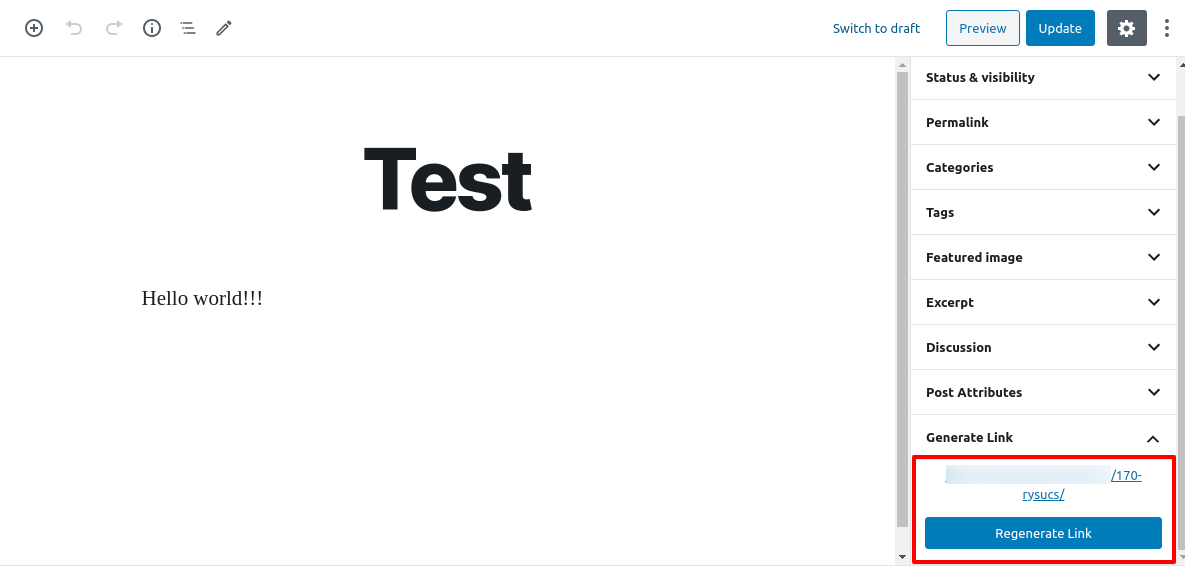
- Quickly regenerate links with one click from your WordPress admin.
Whether you’re managing content, marketing campaigns, or just want neat and professional URLs, Link Shortner makes it simple and effective.
اسکرین شاٹ
انسٹالیشن
From your WordPress dashboard, go to Plugins Add New.
Search for Link Shortner, then click Install and Activate.Or upload manually:
Upload thelink-shortnerfolder to the/wp-content/plugins/directory and activate it from the Plugins menu in WordPress.
جُست ءُ پُرس
-
How do I generate a short link?
-
After installing Link Shortner, go to the Posts section.
There you’ll see a Regenerate Link button that creates a short URL for your post.
جائزہ


کمک کنوک & دیمروئی کنوک
“Link Shortner” اوپن سورس سافٹ ویئر اِنت۔ اے پلگ ان ءِ تہا رند ءِ مردماں وتی کرد پیلو کتگ۔
کمک کار

“Link Shortner” ءِ رجانک ءِ رد ءَ 3 ءِ دمگاں رجانک کنگ بوتگ۔ چہ رجانکاراں منت واراں کہ آہاں وتی کرد پیلو کتگ۔
“Link Shortner” ءَ وتی زبان ءَ رجانک کن اِت۔
دیمروئی ءِ تہا دلچسپی داریت؟
کڈ ءَ براؤز کن اِت، SVN ءِ ذخیرہ ءَ بچار اِت، یا دیمروئی ءِ لاگ ءَ RSS ءِ وسیلہ ءَ سبسکرائب بہ کن اِت۔
چینج لاگ
1.2
- Small improvements and bug fixes
1.1
- Small improvements and bug fixes
1.0
- Initial release.