

سرجمیں
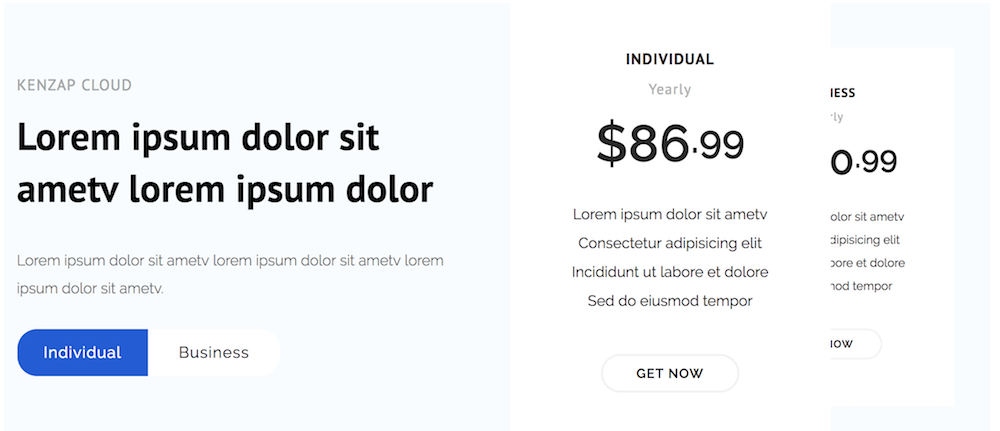
A beautiful and easy customizable set of Gutenberg blocks to create pricing table section for the new editor. Easily adjust the following parameters:
Set background color
Change featured table layout style
Adjust images, fonts, texts, price and currencies
Wide and narrow layout support
Supports 5 different design layouts
اسکرین شاٹ




بلاک
اے پلگ ان 6 بلاک ءِ دات کنت۔
- Kenzap pricing 4
- Kenzap pricing 1
- Kenzap pricing 5
- Kenzap pricing 2
- Kenzap pricing 6
- Kenzap pricing 3
انسٹالیشن
This plugin can be installed directly from your site.
- Log in and navigate to Plugins → Add New.
- Type “Kenzap Pricing” into the Search and hit Enter.
- Locate the Kenzap Pricing plugin in the list of search results and click Install Now.
- Once installed, click the Activate link.
- Go to Pages > Add New > Find Pricing block.
- Adjust Container > Max width setting if elements are not displayed properly.
It can also be installed manually.
- Download the Kenzap Pricing plugin from WordPress.org.
- Unzip the package and move to your plugins directory.
- Log into WordPress and navigate to the Plugins screen.
- Once installed, click the Activate link.
- Go to Pages > Add New > Find Kenzap Pricing blocks.
- Adjust Container > Max width setting if elements are not displayed properly.
جُست ءُ پُرس
-
What is this plugin for?
To extend your current theme with pricing section -
Why columns look narrow?
Depending on your front page container layout type you may need to reduce Max width property in Inspector container
جائزہ
اے پلگ ان ئے ہچ جائزہ نیستیں
کمک کنوک & دیمروئی کنوک
“Kenzap Pricing” اوپن سورس سافٹ ویئر اِنت۔ اے پلگ ان ءِ تہا رند ءِ مردماں وتی کرد پیلو کتگ۔
کمک کار
“Kenzap Pricing” ءَ وتی زبان ءَ رجانک کن اِت۔
دیمروئی ءِ تہا دلچسپی داریت؟
کڈ ءَ براؤز کن اِت، SVN ءِ ذخیرہ ءَ بچار اِت، یا دیمروئی ءِ لاگ ءَ RSS ءِ وسیلہ ءَ سبسکرائب بہ کن اِت۔
چینج لاگ
v1.0.0
New: Initial release
v1.1.0
New: Typography settings introduced
Update: Stability improvement, crash fix
v1.1.1
Update: vulnerability fix
Update: fixing demo content preview after block is added
v1.1.2
Update: WordPress 5.5 update