Title: Static Site Exporter
Author: Ben Balter
Published: دسمبر 12, 2014
Last modified: نومبر 7, 2026
---
پلگ انز ئے شوھاز کن
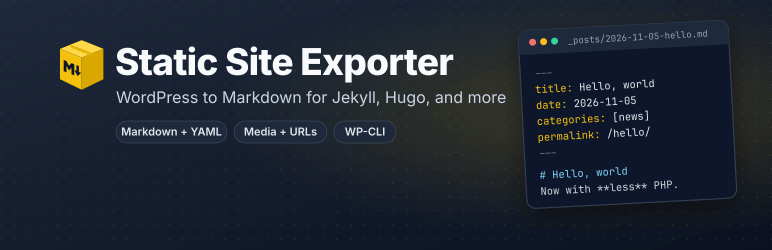

# Static Site Exporter
[Ben Balter](https://profiles.wordpress.org/benbalter/) ئے وسیلہ ئا
[ایرگیج](https://downloads.wordpress.org/plugin/jekyll-exporter.4.6.0.zip)
* [سرجمیں](https://bcc.wordpress.org/plugins/jekyll-exporter/#description)
* [جائزہ](https://bcc.wordpress.org/plugins/jekyll-exporter/#reviews)
* [دیمروی](https://bcc.wordpress.org/plugins/jekyll-exporter/#developers)
[کمک](https://wordpress.org/support/plugin/jekyll-exporter/)
## سرجمیں
Export your WordPress posts and pages to Markdown in a couple of clicks, ready for
Jekyll, Hugo, or any other static site generator.
### Features
* **One screen, no settings.** Choose _Export to Static Site_ from the Tools menu,
click Export, and download a zip. Nothing to configure first.
* **Your content, as Markdown.** Posts, pages, and drafts become Markdown files.
Each one starts with its title, date, author, categories, tags, and custom fields.
* **Images come along.** Your uploaded images and files are included, and links
to them keep working.
* **Jekyll, Hugo, Astro, or Eleventy.** Jekyll is the default; pick another generator
and the export uses its folders and config.
* **Old links keep working.** On Jekyll, Hugo, and Eleventy, each post keeps its
original web address.
### Usage
1. In your WordPress dashboard, go to **Plugins Add New**, search for **Static Site
Exporter**, then install and activate it.
2. Choose **Export to Static Site** from the **Tools** menu.
3. Pick your static site generator (Jekyll is the default), then click **Export**.
4. Unzip the download into your site. [Output formats](https://github.com/benbalter/wordpress-static-site-exporter/blob/main/docs/output-formats.md)
says where each generator’s files go.
That’s it. Need more control? You can [export from the command line, pick which posts to export, include custom post types, and customize the output](https://github.com/benbalter/wordpress-static-site-exporter/blob/main/docs/advanced-usage.md).
### More information
* [Frequently asked questions](https://github.com/benbalter/wordpress-static-site-exporter/blob/main/docs/faq.md)
* [Advanced usage](https://github.com/benbalter/wordpress-static-site-exporter/blob/main/docs/advanced-usage.md)
* [Changelog](https://github.com/benbalter/wordpress-static-site-exporter/blob/main/docs/changelog.md)
* [Get help or report an issue](https://github.com/benbalter/wordpress-static-site-exporter/blob/main/docs/SUPPORT.md)
* [Help translate it into your language](https://translate.wordpress.org/projects/wp-plugins/jekyll-exporter/)
* [Contribute](https://github.com/benbalter/wordpress-static-site-exporter/blob/main/docs/CONTRIBUTING.md)
or [develop locally](https://github.com/benbalter/wordpress-static-site-exporter/blob/main/docs/developing-locally.md)
## اسکرین شاٹ
[⌊Choose Export to Static Site from the Tools menu, pick a format, and click Export
to download your site as a zip file.⌉⌊Choose Export to Static Site from the Tools
menu, pick a format, and click Export to download your site as a zip file.⌉[
Choose Export to Static Site from the Tools menu, pick a format, and click Export
to download your site as a zip file.
[⌊The zip has your posts, drafts, pages, and settings, laid out for Jekyll.⌉⌊The
zip has your posts, drafts, pages, and settings, laid out for Jekyll.⌉[
The zip has your posts, drafts, pages, and settings, laid out for Jekyll.
[⌊Each post is Markdown with YAML front matter: title, date, author, categories,
tags, and its original URL.⌉⌊Each post is Markdown with YAML front matter: title,
date, author, categories, tags, and its original URL.⌉[
Each post is Markdown with YAML front matter: title, date, author, categories, tags,
and its original URL.
## جُست ءُ پُرس
### Does it work with Hugo, Eleventy, or other static site generators?
Yes. Pick Hugo, Astro, or Eleventy from the format dropdown under **Tools Export
to Static Site**, or pass `--format` on the command line, and the export is laid
out for that generator, with its folders, draft markers, and config file:
```
wp jekyll-export --format=hugo --output=export.zip
```
Jekyll is the default. Every format is Markdown with YAML front matter, which most
other generators read too. See [Output formats](https://github.com/benbalter/wordpress-static-site-exporter/blob/main/docs/output-formats.md)
for what each one includes.
### My export times out, or the zip file is empty. What can I do?
Large sites can run past PHP’s time or memory limits in the browser. Use WP-CLI
instead, which has no time limit, and write the zip straight to a file:
```
wp jekyll-export --output=export.zip
```
If your media library is large, add `--skip-uploads` and copy `wp-content/uploads`
separately. See [Performance Tips for Large Sites](https://github.com/benbalter/wordpress-static-site-exporter/blob/main/docs/performance-tips.md)
for more.
### Can I export only some of my posts?
Yes. With WP-CLI, filter by category, tag, post type, or status:
```
wp jekyll-export --category=technology --post_status=publish > export.zip
```
See [Selective Export](https://github.com/benbalter/wordpress-static-site-exporter/blob/main/docs/selective-export.md)
for every option, including the PHP filters.
### Where do my images and other media go?
The export copies `wp-content/uploads` into the zip and rewrites links to your media
as relative URLs (`/wp-content/uploads/...`), so they keep working on the new site.
### Will my old URLs keep working?
Each post’s front matter includes its WordPress URL (`permalink`, or `url` for Hugo),
so Jekyll, Hugo, and Eleventy publish it at the same address. For Astro, [Output formats](https://github.com/benbalter/wordpress-static-site-exporter/blob/main/docs/output-formats.md)
has a route that does the same.
### Are drafts exported?
Yes, into `_drafts/` for Jekyll. Hugo, Astro, and Eleventy keep drafts next to your
posts, marked `draft: true`. To leave them out, use `wp jekyll-export --post_status
=publish`.
### Does it export custom post types and custom fields?
Custom fields are exported as front matter. Custom post types need one filter to
include them, and the export then declares each one as a Jekyll collection. See
[Custom post types](https://github.com/benbalter/wordpress-static-site-exporter/blob/main/docs/custom-post-types.md)
and [Custom fields](https://github.com/benbalter/wordpress-static-site-exporter/blob/main/docs/custom-fields.md).
### Does the export include the text after a “More” tag?
Yes. Each post is exported in full, including everything after a More tag (the “
Continue reading” break) and every page of a post split with a Page Break. The More
tag stays in the Markdown as ``, which Hugo treats as the end of a post’s
summary. To use it for excerpts in Jekyll, add `excerpt_separator: `
to the front matter of the posts that have one. Setting it in `_config.yml` instead
also works, but then any post without the tag uses its whole text as the excerpt.
## جائزہ

### [Useless](https://wordpress.org/support/topic/useless-594/)
[andybrandt](https://profiles.wordpress.org/andybrandt/) مئی 6, 2025
Markdown export is not really Markdown…

### [Does exactly what it says, nothing more](https://wordpress.org/support/topic/does-exactly-what-it-says-nothing-more/)
[andrewjgwise](https://profiles.wordpress.org/andrewjgwise/) جنوری 30, 2023
Worked without issue on a WordPress site on shared hosting. Much quicker than using
the Jekyll importer.

### [Try command line version if not working for you](https://wordpress.org/support/topic/try-command-line-version-if-not-working-for-you/)
[rpeyron](https://profiles.wordpress.org/rpeyron/) اگست 14, 2022
If you have a not so small WordPress site, it is very likely you won't have any
success using this plugin within the WordPress interface, as I can read in the reviews
and support messages. But the plugin offer a command line interface that does not
have the timeout of the web version. Go inside the plugin folder and run the cli
version : php jekyll-export-cli.php > jekyll-export.zip The GitHub does provide
more information (WordPress forbid to include the link, but the project name seems
to be benbalter/wordpress-to-jekyll-exporter) Not doing miracles with plugins, you
will have some rework, but definitely working and very useful!

### [Working in 2022](https://wordpress.org/support/topic/working-in-2022-2/)
[turbidplaque](https://profiles.wordpress.org/turbidplaque/) مارچ 17, 2022
I wasn't expecting much because of the previous reviews indicating this was broken,
but having just used it on an (admittedly somewhat small) WP site, I can confirm
that it now works. Even with only a couple dozen posts and some pictures, it took
a few minutes, so give it time, but the result was exactly as advertised: a .zip
file containing all posts as Jekyll-formatted .md files, and the WP uploads directory
with all the images. Thanks!

### [Finally dead](https://wordpress.org/support/topic/finally-dead/)
[sinisam](https://profiles.wordpress.org/sinisam/) جنوری 8, 2020 1 جواب دنت
It does not work anymore. I suppose it was good while it worked but I will never
know.

### [Broken. doesn’t work anymore](https://wordpress.org/support/topic/broken-doesnt-work-anymore/)
[Aslan French](https://profiles.wordpress.org/thedonquixotic/) دسمبر 19, 2019
Sad because I'd really like to export my posts but doesn't work.
[ کلیں 12 جائزہ ئا پڑھ ](https://wordpress.org/support/plugin/jekyll-exporter/reviews/)
## کمک کنوک & دیمروئی کنوک
“Static Site Exporter” اوپن سورس سافٹ ویئر اِنت۔ اے پلگ ان ءِ تہا رند ءِ مردماں
وتی کرد پیلو کتگ۔
کمک کار
* [ Ben Balter ](https://profiles.wordpress.org/benbalter/)
[“Static Site Exporter” ءَ وتی زبان ءَ رجانک کن اِت۔](https://translate.wordpress.org/projects/wp-plugins/jekyll-exporter)
### دیمروئی ءِ تہا دلچسپی داریت؟
[کڈ ءَ براؤز کن اِت](https://plugins.trac.wordpress.org/browser/jekyll-exporter/)،
[SVN ءِ ذخیرہ](https://plugins.svn.wordpress.org/jekyll-exporter/) ءَ بچار اِت،
یا [دیمروئی ءِ لاگ](https://plugins.trac.wordpress.org/log/jekyll-exporter/) ءَ
[RSS](https://plugins.trac.wordpress.org/log/jekyll-exporter/?limit=100&mode=stop_on_copy&format=rss)
ءِ وسیلہ ءَ سبسکرائب بہ کن اِت۔
## چینج لاگ
#### 4.6.0
This release exports for Hugo, Astro, and Eleventy as well as Jekyll, and exports
posts in full again. Review the note marked **Export change** before re-exporting
a site you’ve exported before.
* Export for Hugo, Astro, or Eleventy, not just Jekyll. Pick a format on **Tools
Export to Static Site**, or pass `--format` to `wp jekyll-export`. Each format
gets that generator’s folders, draft markers, and config file, and the Eleventy
export includes a config and stub layouts so it builds as is. Jekyll exports
are unchanged. Plugins can add or adjust formats with the `jekyll_export_formats`
filter. See [Output formats](https://github.com/benbalter/wordpress-static-site-exporter/blob/main/docs/output-formats.md)(
[#507](https://github.com/benbalter/wordpress-static-site-exporter/pull/507))
* The Tools menu item is now **Export to Static Site** instead of “Export to Jekyll”,
and it opens a short screen with the format choice instead of starting the download
right away. Hook names, the `wp jekyll-export` command, and the text domain are
unchanged, so scripts and links keep working ([#505](https://github.com/benbalter/wordpress-static-site-exporter/pull/505),
[#507](https://github.com/benbalter/wordpress-static-site-exporter/pull/507))
* The plugin page and README now lead with the one-click export, and WP-CLI, selective
export, and large-site tips moved to a new [Advanced usage](https://github.com/benbalter/wordpress-static-site-exporter/blob/main/docs/advanced-usage.md)
page. The WP-CLI success message can now be translated ([#505](https://github.com/benbalter/wordpress-static-site-exporter/pull/505))
* **Export change:** Posts with a More tag (the “Continue reading” break) are exported
in full again. Since 2.4.2, the export stopped at the tag and put a “(more…)”
link in place of the rest of the post, and posts split with Page Break blocks
lost every page after the first. The More tag is kept in the Markdown as `` on its own line, which Hugo uses to end a post’s summary and Jekyll
can use as its excerpt separator ([#509](https://github.com/benbalter/wordpress-static-site-exporter/issues/509),
[#510](https://github.com/benbalter/wordpress-static-site-exporter/pull/510)).
Thanks to [@shtrom](https://github.com/shtrom) for the report
* The readme build now fails if the WordPress.org description goes over 2,500 words,
where WordPress.org cuts it off. Repeated and outdated sections had pushed it
past that ([#511](https://github.com/benbalter/wordpress-static-site-exporter/pull/511))
* The plugin now ships its `composer.json`, so WordPress.org reviewers can see
which libraries are bundled in `vendor/` ([#511](https://github.com/benbalter/wordpress-static-site-exporter/pull/511))
#### 4.5.0
This release fixes a bug in 4.4.0 that exported every post as HTML instead of Markdown,
and updates the HTML-to-Markdown converter for two security fixes, which also change
some converted Markdown. Review the notes marked **Export change** before re-exporting
a site you’ve exported before.
* **Export change:** Posts are converted to Markdown again. 4.4.0 shipped without
several files the bundled converter needs, so every post failed to convert and
was exported as its original HTML, without an error. If you exported with 4.4.0,
export again
* **Export change:** Updated `league/html-to-markdown` to 5.2.3. It fixes two cases
where conversion time grew with the square of a post’s size instead of in proportion
to it, so a single large or unusual post could stall an export until PHP timed
out ([GHSA-h3wg-gqjr-jjmw](https://github.com/thephpleague/html-to-markdown/security/advisories/GHSA-h3wg-gqjr-jjmw),
[GHSA-4xjf-2r66-5r28](https://github.com/thephpleague/html-to-markdown/security/advisories/GHSA-4xjf-2r66-5r28)).
It also changes some output: non-breaking spaces are kept instead of becoming
regular spaces, headings and paragraphs no longer run onto the same line as an
image or other inline content before them, code blocks from `
` lose a stray
leading blank line, links whose text is their URL become autolinks more often,
and a line of just `-` or `+` is escaped instead of becoming an empty list item.
See the [upstream changelog](https://github.com/thephpleague/html-to-markdown/blob/5.2.3/CHANGELOG.md)
for the full list
* Updated `symfony/yaml` to 7.4.22, which fixes how some values are quoted and
how multi-line text is written, so a few front matter values may be written differently
* Code samples on the WordPress.org plugin page now render as code. They were shown
as plain text, which turned `--category` and other flags into en dashes, so copied
commands failed ([#499](https://github.com/benbalter/wordpress-static-site-exporter/pull/499))
* A test now pins how the converter escapes Markdown, so a future converter update
can’t change exported output unnoticed ([#465](https://github.com/benbalter/wordpress-static-site-exporter/pull/465)).
Thanks to [@theluckystrike](https://github.com/theluckystrike)
#### 4.4.0
This release updates the HTML-to-Markdown converter for security fixes, which changes
some converted Markdown. Review the note marked **Export change** before re-exporting
a site you’ve exported before.
* **Export change:** Updated `league/html-to-markdown` to 5.1.3, a security release.
Content inside `
` and ``, attribute values of HTML kept as-is, and
the `href`, `src`, `title`, and `alt` of links and images could previously break
out of the Markdown they were written into ([GHSA-8m5h-gv5q-jmp5](https://github.com/thephpleague/html-to-markdown/security/advisories/GHSA-8m5h-gv5q-jmp5),
[GHSA-vc6h-86×6-wcjg](https://github.com/thephpleague/html-to-markdown/security/advisories/GHSA-vc6h-86x6-wcjg),
[GHSA-r2cp-59h5-vgjj](https://github.com/thephpleague/html-to-markdown/security/advisories/GHSA-r2cp-59h5-vgjj)).
The fixes change how backticks, pipes, and link and image attributes are escaped,
and keep some code as HTML. See the [upstream changelog](https://github.com/thephpleague/html-to-markdown/blob/5.1.3/CHANGELOG.md#513---2026-10-05)
for the full list
* The `jekyll_export_meta`, `jekyll_export_terms`, `jekyll_export_markdown`, `jekyll_export_html`,
and `jekyll_export_content` filters now receive the post being exported as a
second argument, so output can be customized per post. Existing one-argument
callbacks are unaffected ([#463](https://github.com/benbalter/wordpress-static-site-exporter/pull/463)).
Thanks to [@theluckystrike](https://github.com/theluckystrike)
* The `jekyll_export_complete` action now fires once after a successful export,
after the archive is sent or saved. It does not fire if the export fails. The
action was documented, but the plugin never fired it ([#459](https://github.com/benbalter/wordpress-static-site-exporter/pull/459)).
Thanks to [@Anandb71](https://github.com/Anandb71)
* Updated `symfony/yaml` to 7.4.20 (parser fixes only; the exporter only writes
YAML)
#### 4.3.0
This release changes what some exports contain. Review the notes marked **Export
change** before re-exporting a site you’ve exported before.
* **Export change:** Posts are now selected with `WP_Query` and an explicit status
list (`publish`, `future`, `draft`, `pending`, `private`, and `inherit`), so
trashed posts and pages and auto-drafts are no longer written to `_drafts/`.
Custom statuses registered by other plugins (e.g., PublishPress or Edit Flow’s`
pitch` and `assigned`) are no longer exported either. The list can be changed
with the new `jekyll_export_post_statuses` filter
* **Export change:** Only link and media URLs (`href`, `src`, and each `srcset`
candidate) are made relative, and only where the site or home URL is followed
by a path, query, or fragment. Absolute site URLs in prose, code samples, and
query strings are now kept as written, which fixes exports such as the default
privacy policy’s “Our website address is: .” Other attributes that pass through
as raw HTML, such as the file block’s `