

سرجمیں
Generate your font glyph in your page with simple shortcode. Showcase your font to your client with hidden glyph
اسکرین شاٹ
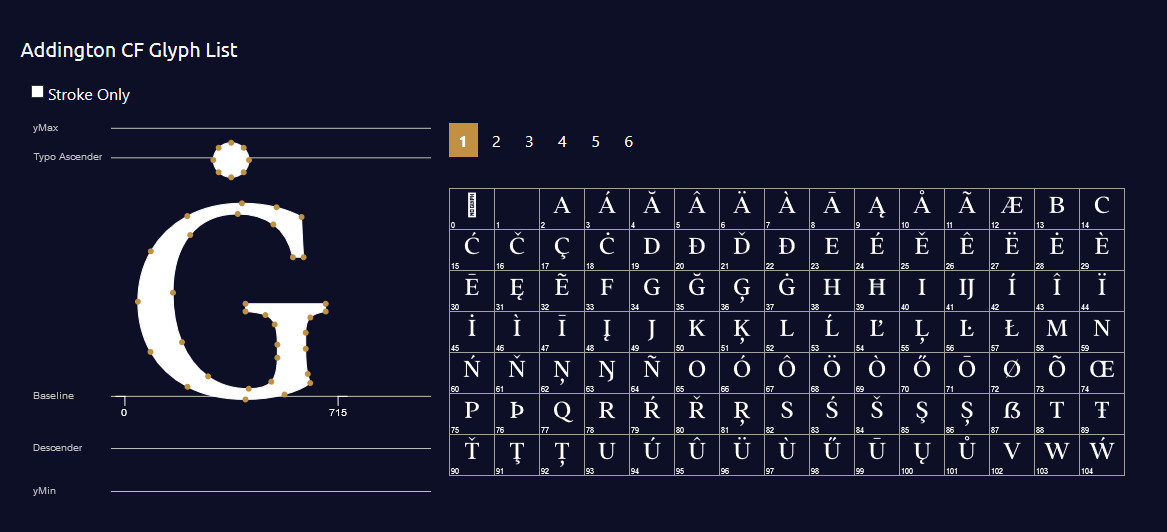

انسٹالیشن
- Upload
glyph-generator.zipto the/wp-content/plugins/directory - Activate the plugin through the ‘Plugins’ menu in WordPress
- Use [draglyph] shortcode in your page / post / product page.
- Include Options into your shortcode. eg. [draglpyh url=’your-font-url’ glyph=’#000′ stroke=’#red’]
جُست ءُ پُرس
-
What Attributes that I can use ?
-
- fonturl => Your font url (default : use Roboto-Black)
- fill => Color for glyph and glyph items (default: #000)
- stroke => Color of glyph’s stroke (default: #fff)
- numpage => How many glyph items do you want to show in a page (default : 100)
- upfont => Enable visitor to check their own font (default:1) ~ value: 1 = allow – 0 = false
-
Is it support Woocommerce
-
Just put the shortcode in product description or additional tabs, and it’s ready to action
-
Do you have Demo
-
You can see the plugin in action at https://indras3hat.com/glyph-generator
-
Can I contact you for support ?
-
Yes! you can send your questions to ask@indras3hat.com
جائزہ
اے پلگ ان ئے ہچ جائزہ نیستیں
کمک کنوک & دیمروئی کنوک
“Glyph Generator” اوپن سورس سافٹ ویئر اِنت۔ اے پلگ ان ءِ تہا رند ءِ مردماں وتی کرد پیلو کتگ۔
کمک کار
“Glyph Generator” ءَ وتی زبان ءَ رجانک کن اِت۔
دیمروئی ءِ تہا دلچسپی داریت؟
کڈ ءَ براؤز کن اِت، SVN ءِ ذخیرہ ءَ بچار اِت، یا دیمروئی ءِ لاگ ءَ RSS ءِ وسیلہ ءَ سبسکرائب بہ کن اِت۔