

سرجمیں
By default, WordPress does not allow uploading file formats like SVG, WebP, and ICO (in some hostings) citing security reasons. These files are becoming very popular and in fact, are recommended by popular web speed scan platforms like Google PageSpeed Insights or Gtmetrix to resolve the serve images in nextgen formats. Thus, this FREE PLUGIN will enable you to upload these files.
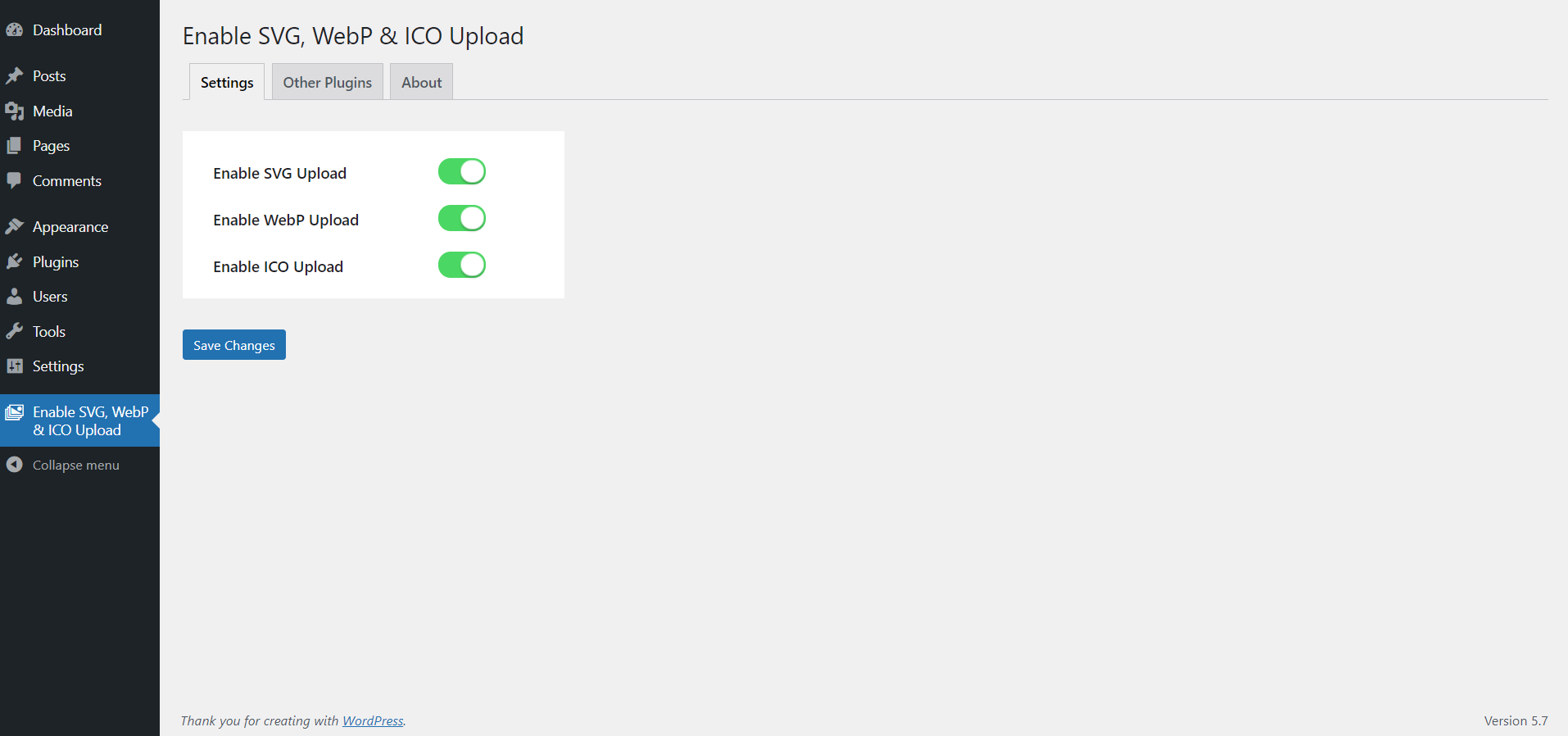
Simply install the plugin and your WordPress website now can easily accept media in SVG, WebP, and ICO format. You will also have an option to disable some or all images format (of the three) as required.
Tutorial video
If you want to learn more about the plugin – please check our website – ideastocode.com.
اسکرین شاٹ
انسٹالیشن
Enable SVG, WebP & ICO Upload can be directly installed from your website.
- Log in to your site’s dashboard i.e. /wp-admin
- Then Go to Plugins Add New
- Search for Enable SVG, WebP & ICO Upload
- Locate the plugin Enable SVG, WebP & ICO Upload & click on Install Now
- Activate the plugin Navigate to Settings.
جُست ءُ پُرس
-
Can Enable SVG, WebP & ICO Upload plugin be used with all the themes?
-
Yes, you can use this plugin with any theme. We have tried with popular themes such as Enfold, Avada, Elementor page builders, Astra, Divi, etc and it works perfectly great.
-
Can a preview of the image (SVG, WebP, ICO) be seen in WordPress Media?
-
Yes, any new uploads i.e. after the plugin have been installed will show a preview on Media. However, if you have uploaded the images via FTP or cPanel before installing this plugin – the preview for those images may not be seen.
جائزہ


کمک کنوک & دیمروئی کنوک
“Enable SVG, WebP, and ICO Upload” اوپن سورس سافٹ ویئر اِنت۔ اے پلگ ان ءِ تہا رند ءِ مردماں وتی کرد پیلو کتگ۔
کمک کار
“Enable SVG, WebP, and ICO Upload” ءِ رجانک ءِ رد ءَ 2 ءِ دمگاں رجانک کنگ بوتگ۔ چہ رجانکاراں منت واراں کہ آہاں وتی کرد پیلو کتگ۔
“Enable SVG, WebP, and ICO Upload” ءَ وتی زبان ءَ رجانک کن اِت۔
دیمروئی ءِ تہا دلچسپی داریت؟
کڈ ءَ براؤز کن اِت، SVN ءِ ذخیرہ ءَ بچار اِت، یا دیمروئی ءِ لاگ ءَ RSS ءِ وسیلہ ءَ سبسکرائب بہ کن اِت۔
چینج لاگ
1.1.6
- Security fixes
1.1.5
- Security fixes
1.1.4
- Security fixes
1.1.3
- Security fixes
1.1.2
- Cleans malicious code from SVG files upon upload
1.1.1
- All Security fixes and removed unnecessary codes
1.1.0
- Minor fixes
1.0.9
- Minor Security fixes
1.0.8
- Minor Updates
1.0.7
- Security fixes
1.0.6
- Minor Updates
1.0.5
- Minor Updates
1.0.4
- Minor Updates
1.0.3
- Security fixes
1.0.2
- Security fixes
1.0.1
- Updated readme.txt file
- Minor fixes
1.0.0
- Initial release.