

سرجمیں
Assign multiple bylines to posts, pages, and custom post types via a search-as-you-type input box. Co-authored posts appear on a co-author’s archive page and in their feed. Co-authors may edit the posts they are associated with, and co-authors who are contributors may only edit posts if they have not been published (as is core behavior).
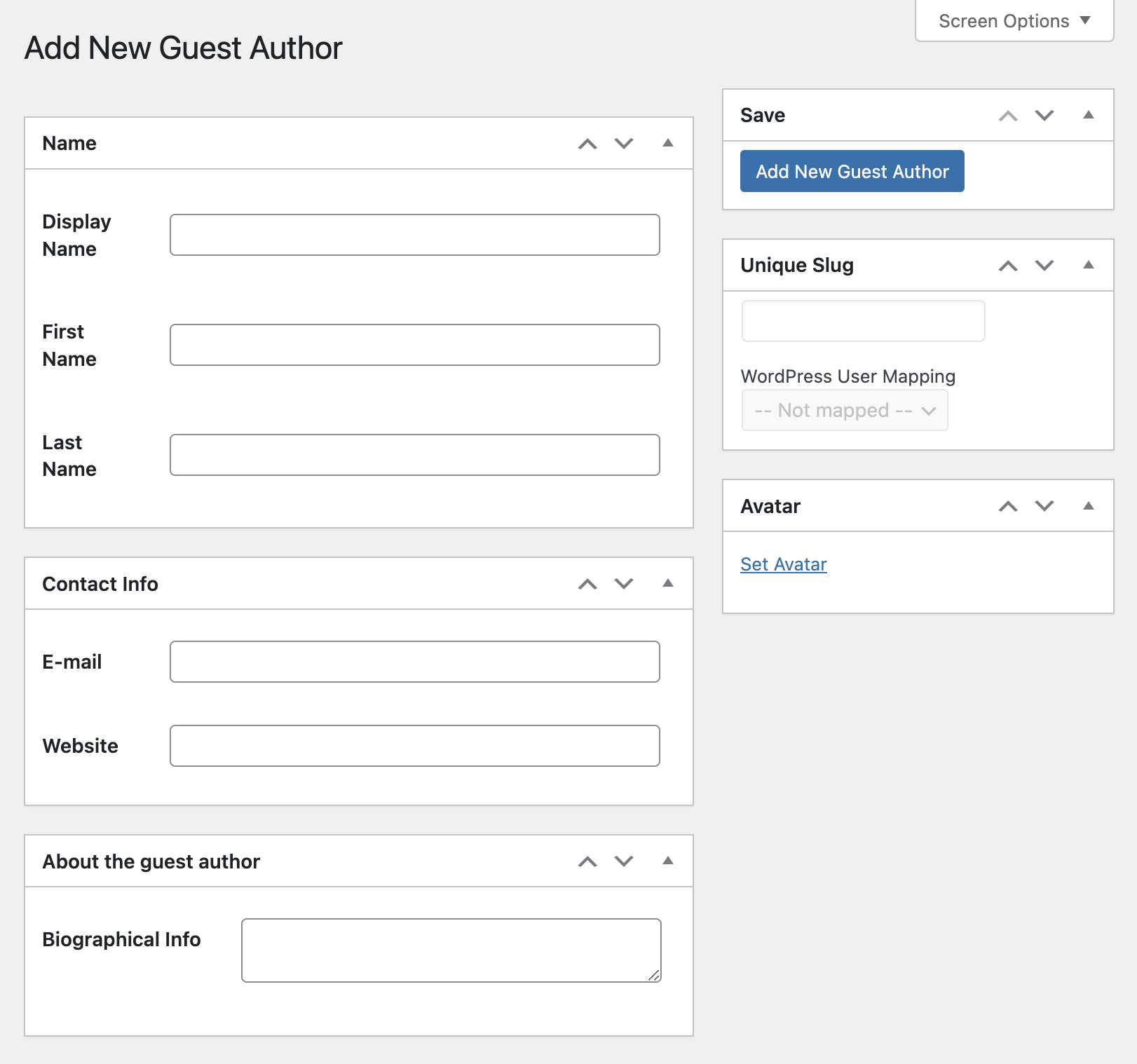
Add writers as bylines without creating WordPress user accounts. Simply create a guest author profile for the writer and assign the byline as you normally would.
On the frontend, use the Co-Authors Plus template tags or the block editor blocks to list co-authors anywhere you’d normally list the author.
Documentation
Guides for site owners, themers and developers live in the docs/ directory on GitHub (they are not bundled in the distribution ZIP):
- Guest authors and roles and capabilities
- Template tags and blocks
- Querying posts by author or co-author
- Customizing Co-Authors Plus: recipes for the most common filters
- Filters and actions and the REST API
- WP-CLI commands
- Upgrading to 4.0
Co-Authors Plus is an almost complete rewrite of the Co-Authors plugin originally developed by Weston Ruter (2007). The original plugin was inspired by the ‘Multiple Authors‘ plugin by Mark Jaquith (2005).
اسکرین شاٹ

بلاک
اے پلگ ان 5 بلاک ءِ دات کنت۔
- Co-Author Biography Displays a co-author's biographical description.
- Co-Author Featured Image Uses your theme's image sizes to display a scalable avatar for a co-author with a guest author profile. Does not fallback to Gravatar images.
- Co-Authors Displays the co-authors of a post by using blocks to create a template. Start with co-author name and add any other co-author blocks.
- Co-Author Name Displays a co-author's display name and optionally links to their author archive.
- Co-Author Avatar Displays a small scale version of a co-author's avatar. Utilizes fallbacks from Gravatar so everyone has an avatar.
انسٹالیشن
- IMPORTANT: If you are using the original Co-Authors plugin, disable it before installing Co-Authors Plus.
- Extract the co-authors-plus.zip file and upload its contents to the
/wp-content/plugins/directory. Alternately, you can install directly from the Plugin directory within your WordPress Install. - Activate the plugin through the “Plugins” menu in WordPress.
- Place co-authors template tags in your template.
- Add co-authors to your posts and pages.
جُست ءُ پُرس
-
If you’ve just installed Co-Authors Plus, you might notice that the bylines are being added in the backend but aren’t appearing on the front end. You’ll need to add the template tags to your theme before the bylines will appear.
-
When a user is deleted from WordPress, they will be removed from all posts for which they are co-authors. If you reassign their posts to another user, that user will be the co-author instead.
-
Yes! You can use Co-Authors Plus on WordPress multisite. Co-Authors Plus can be activated on a site-by-site basis or network-activated. If you create guest authors, however, those guest authors will exist on a site-by-site basis.
-
Who needs permission to do what?
-
By default, a WordPress user needs the
edit_others_postscapability to assign co-authors to posts, or the equivalent for other post types, such asedit_others_pagesfor pages. This is typically granted to the Editor role but can be altered with thecoauthors_plus_edit_authorsfilter. The roles and capabilities guide has an example that lets the Author role assign co-authors.A WordPress user will need the
list_userscapability to open the Guest Authors screen. This is typically granted to the Administrator role but can be altered with thecoauthors_guest_author_manage_capfilter. The roles and capabilities guide covers every permission check in detail. -
Yes! You can create a list of all co-authors with a template tag
coauthors_wp_list_authors()template tag. This template tag accepts many of the same arguments aswp_list_authors(). Look intemplate-tags.phpfor more details. -
Yes! You can disable guest authors entirely through a filter. Having the following line load before
init(for example in your theme’sfunctions.phpor in a plugin) will do the trick:
add_filter( ‘coauthors_guest_authors_enabled’, ‘__return_false’ ) -
Yes. Many parts of Co-Authors Plus can be changed with a filter, for example making every byline come from guest authors, or stopping author archives from matching on the post’s WordPress author. See Customizing Co-Authors Plus for recipes, and the filters and actions reference for the full list.
جائزہ


کمک کنوک & دیمروئی کنوک
“Co-Authors Plus” اوپن سورس سافٹ ویئر اِنت۔ اے پلگ ان ءِ تہا رند ءِ مردماں وتی کرد پیلو کتگ۔
کمک کار


“Co-Authors Plus” ءِ رجانک ءِ رد ءَ 18 ءِ دمگاں رجانک کنگ بوتگ۔ چہ رجانکاراں منت واراں کہ آہاں وتی کرد پیلو کتگ۔
“Co-Authors Plus” ءَ وتی زبان ءَ رجانک کن اِت۔
دیمروئی ءِ تہا دلچسپی داریت؟
کڈ ءَ براؤز کن اِت، SVN ءِ ذخیرہ ءَ بچار اِت، یا دیمروئی ءِ لاگ ءَ RSS ءِ وسیلہ ءَ سبسکرائب بہ کن اِت۔
چینج لاگ
The highlights of recent releases are below. Every change, including older releases, is listed in CHANGELOG.md.
4.2.2
- Changed: Guest authors without a linked user no longer receive comment moderation emails, and Contributors no longer receive them for published posts.
- Security: Co-authors only receive comment emails for posts and comments they can access.
- Security: Tighten how guest author profiles are looked up, who can see co-authors’ email addresses, how private posts are counted, and who can change a post’s author.
4.2.1
- Changed:
wp co-authors-plus export-coauthorsnow requires--file. If you ran it without--fileon 4.2.0, deletewp-content/cap-coauthors-export.json. - Changed: A Query Loop containing Co-Authors Plus blocks no longer forces “Reload full page”.
- Fixed: Author archive URLs for a slug that matches no one return a 404, instead of listing posts.
- Fixed: The Authors panel and blocks load in the block editor on WordPress 6.4 and 6.5.
- Fixed: Post counts and author lists treat a linked user and guest author as one person, so posts aren’t counted twice and guest authors don’t go missing from lists.
- Fixed: Authors whose nicename isn’t a clean slug, as some SSO and sync plugins write them, appear in the author search and in bylines.
- Fixed: Yoast SEO’s structured data stays valid on posts with co-authors.
- Fixed:
wp co-authors-plus create-guest-authorsaccepts--roleand other user query arguments again. - Security: Tighten how co-authors and author queries are matched.
4.2.0
- Changed: RSS feeds credit each item’s co-authors on every site. To keep the old feed bylines, return
falsefrom thecoauthors_filter_feed_authorsfilter. - Changed: Creating, listing and editing guest authors needs the guest author manage capability (Administrators by default) everywhere, including WordPress’s own post screens, so Editors can no longer edit guest authors there. Change this with the
coauthors_guest_author_manage_capfilter. - Changed: Setting co-authors on pages and custom post types checks that post type’s own edit-others capability.
- Changed: Core’s
/wp/v2/coauthorsREST route needs theedit_postscapability, and/wp/v2/guest-authoris gone. Read co-authors through the plugin’scoauthors/v1endpoints, which now return unescaped values. - Changed: The plain byline template tags, such as
coauthors(), escape their output. - New: WP-CLI commands to move guest authors and their bylines between sites (
export-coauthors,import-coauthors) and to list a post’s co-authors (list-authors). - New: Filters to change the author data in the editors’ author search, for example to hide email addresses.
- Fixed: Co-author names with apostrophes display correctly in the block editor, and the Authors panel fills in on sites that override the
coauthorsREST field. - Fixed: Trashing a guest author no longer drops them from bylines.
- Fixed: Many WP-CLI commands now do what they report, including
swap-coauthors --dry-run,reassign-termsand the author term backfills. - Security: Tighter permission checks for managing guest authors, and no more user logins in public REST responses.